3. Unfold
UVマップを広げる

1.
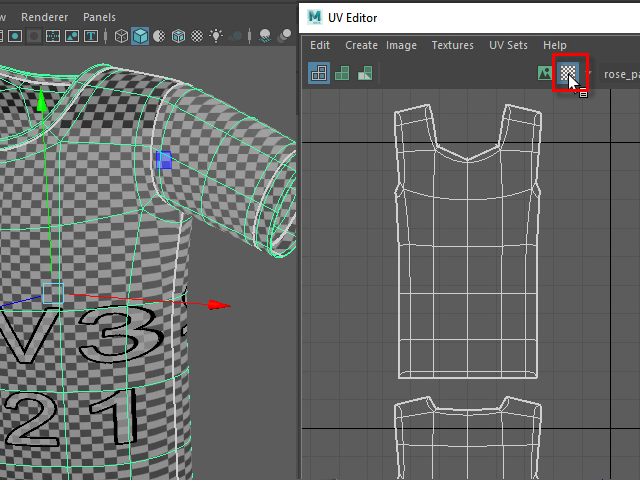
Display checker texture.
チェッカーアイコンをクリックし、服にチェッカー模様を表示します。
2.
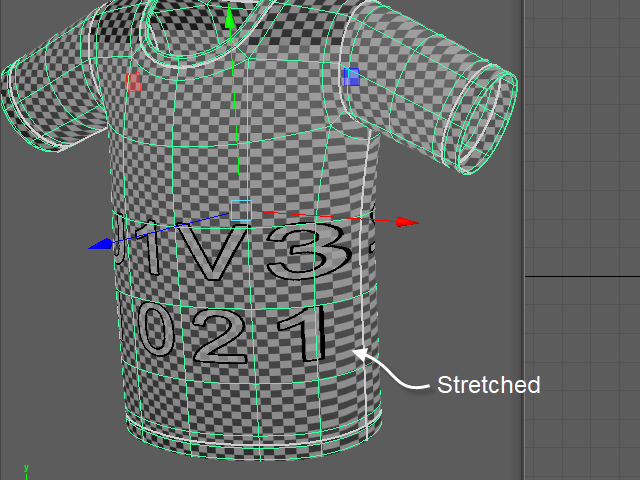
Check the stretched texture.
チェッカーの模様が伸びている部分をチェックします。
3.
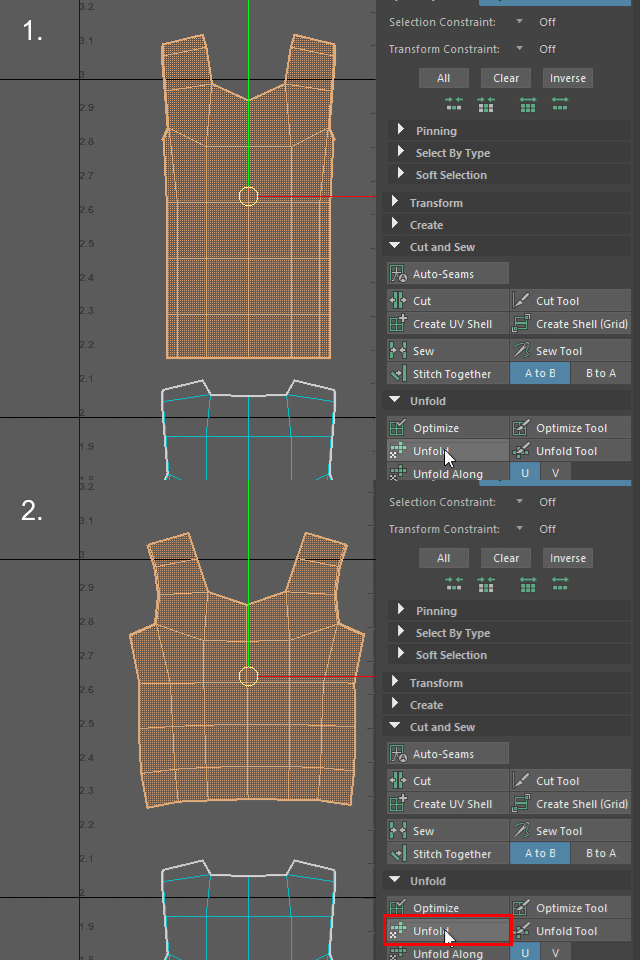
Apply Unfold and spread UV Map evenly.
Unfold でUVマップを均一に広げます。
4.
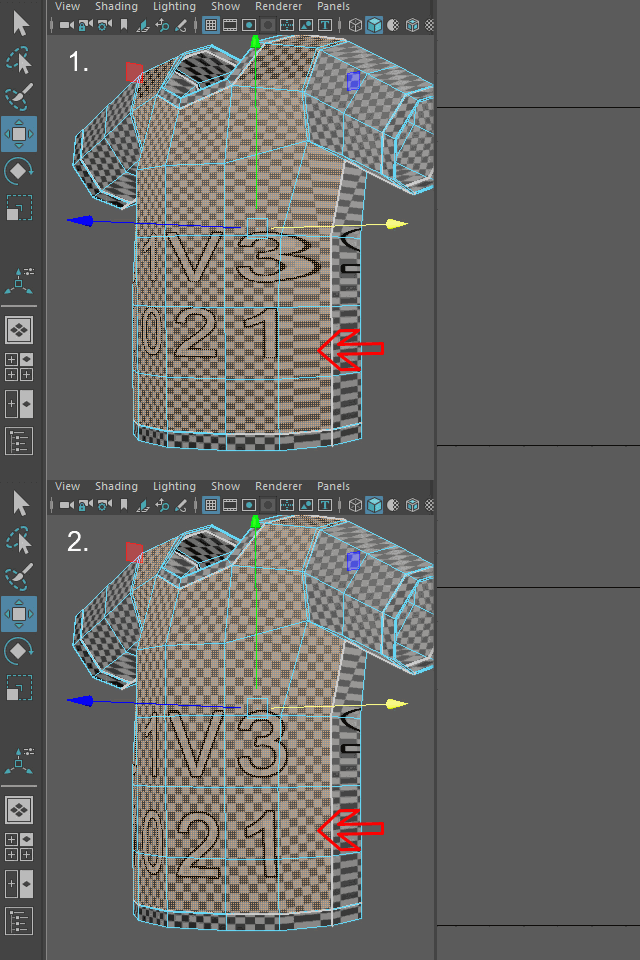
Stretched textures were fixed.
このように均一に広がります。
5.
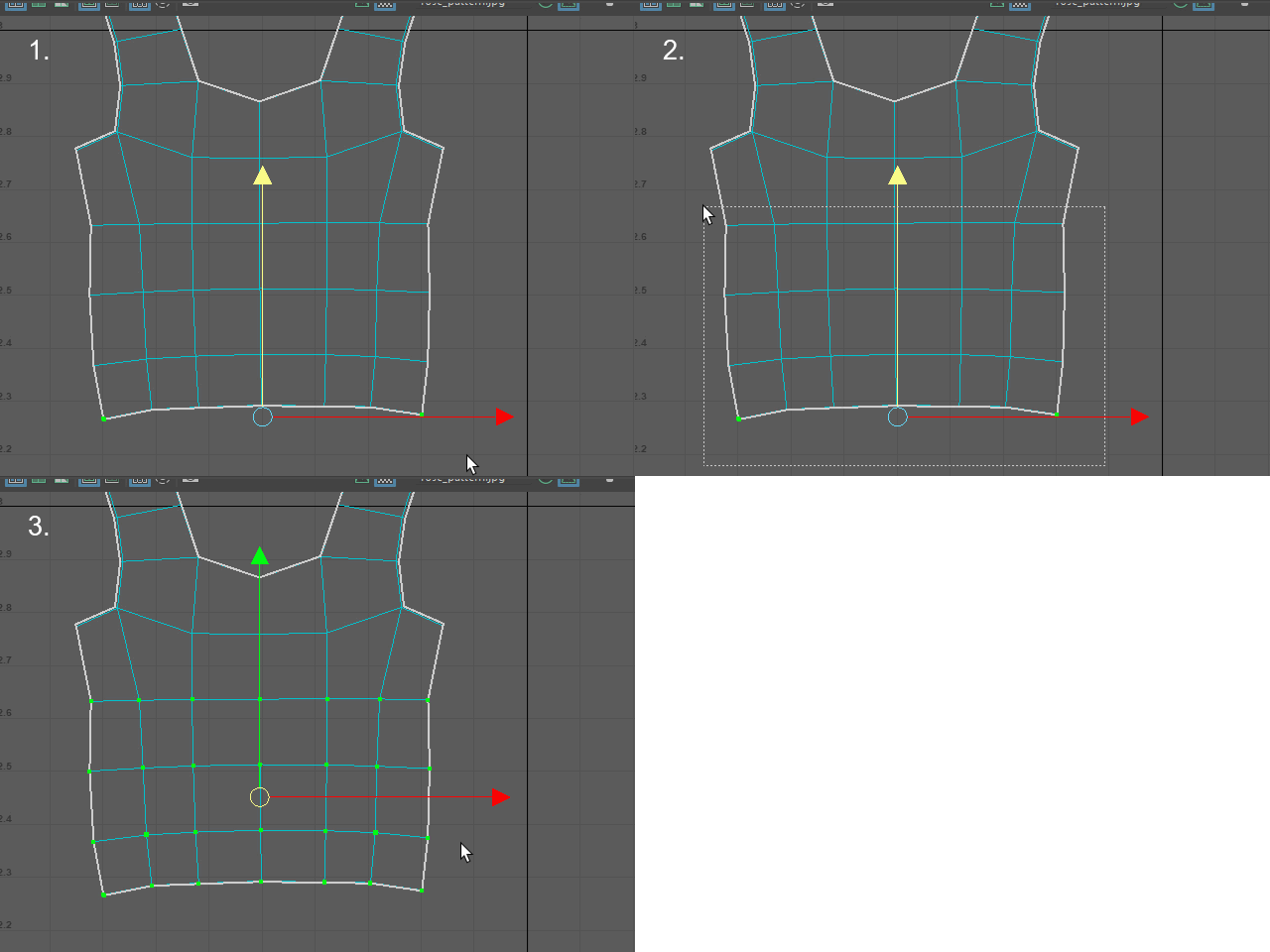
Select UV points like this.
このように UV を選択します。
6.
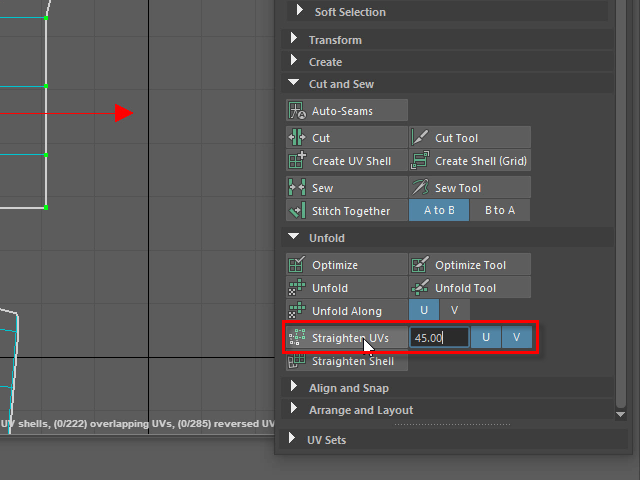
Apply Straighten UVs.
Straighten UVs で縦横真っ直ぐにします。
7.
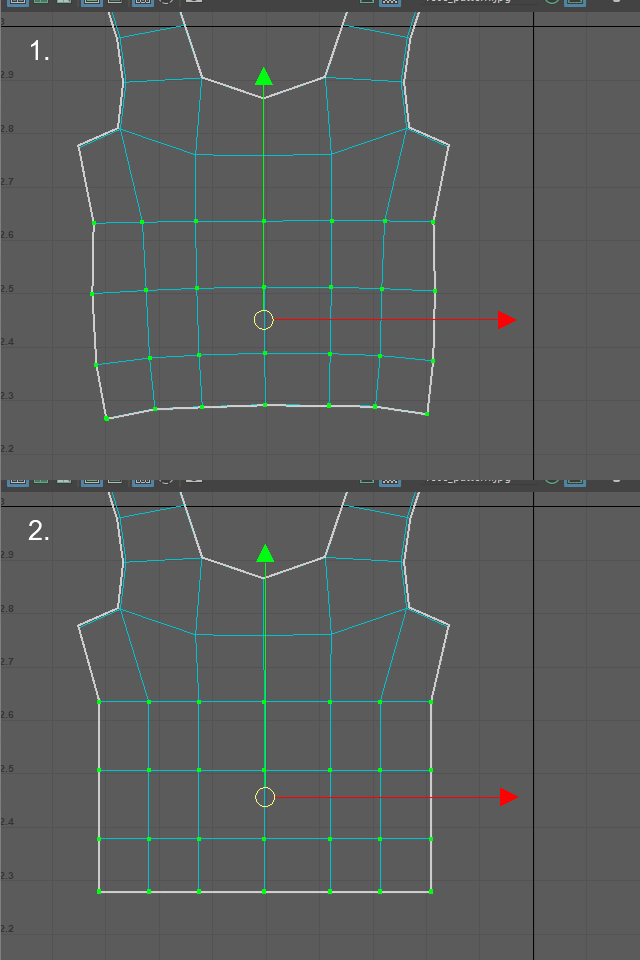
It will straighten the edges.
このように縦横 真っ直ぐになります。
8.
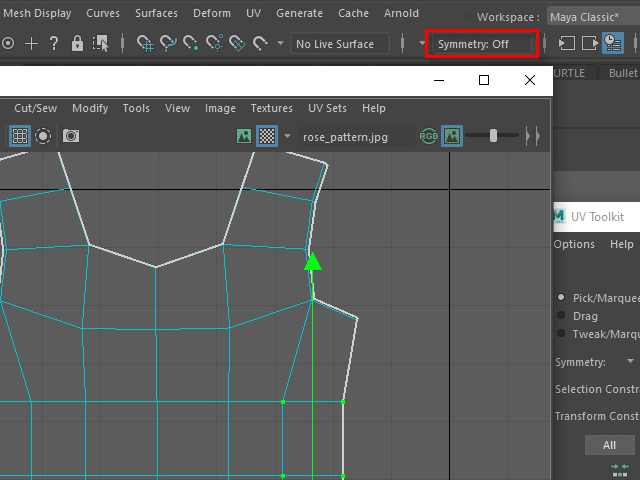
Turn off Symmetry.
Symmetry を解除します。
9.
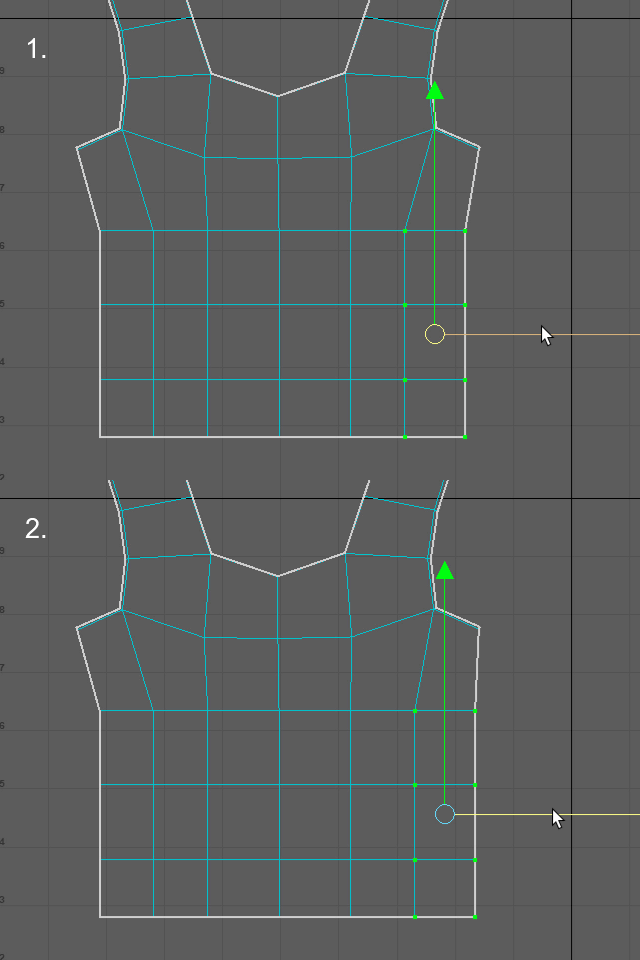
Move the selected UVs and make them straight.
UVを移動し、横のラインを真っ直ぐにします。
左右対称に移動ができないので、片側だけを移動します。
10.
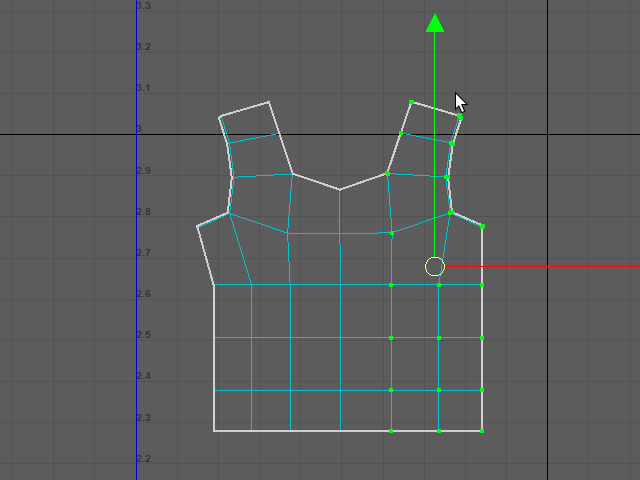
Select the right side of UVs.
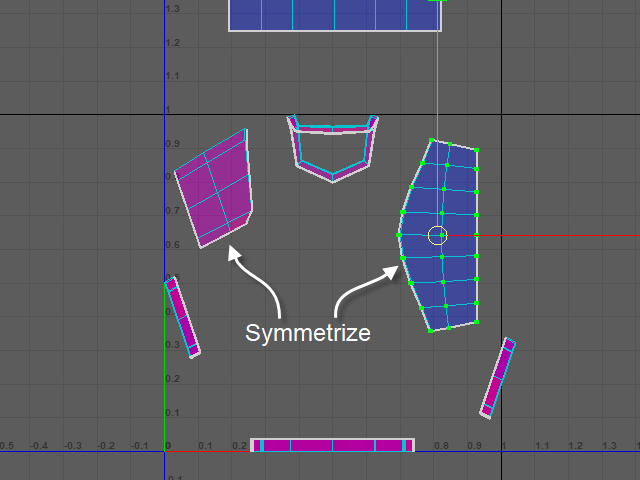
Symmetrize で左右対称にしてみます。
まずこのように片側のUVをセレクトします。
11.
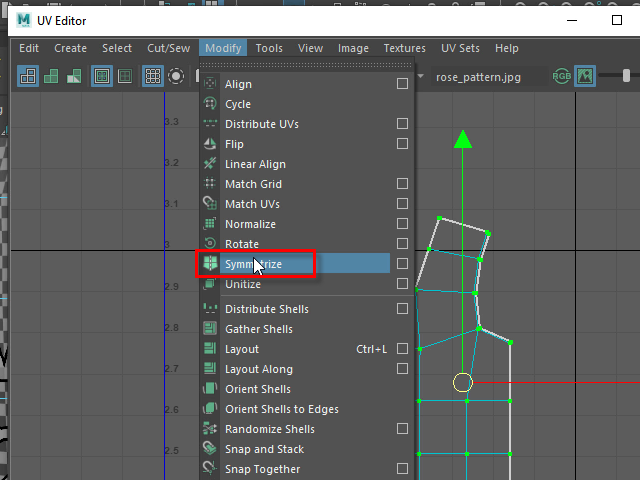
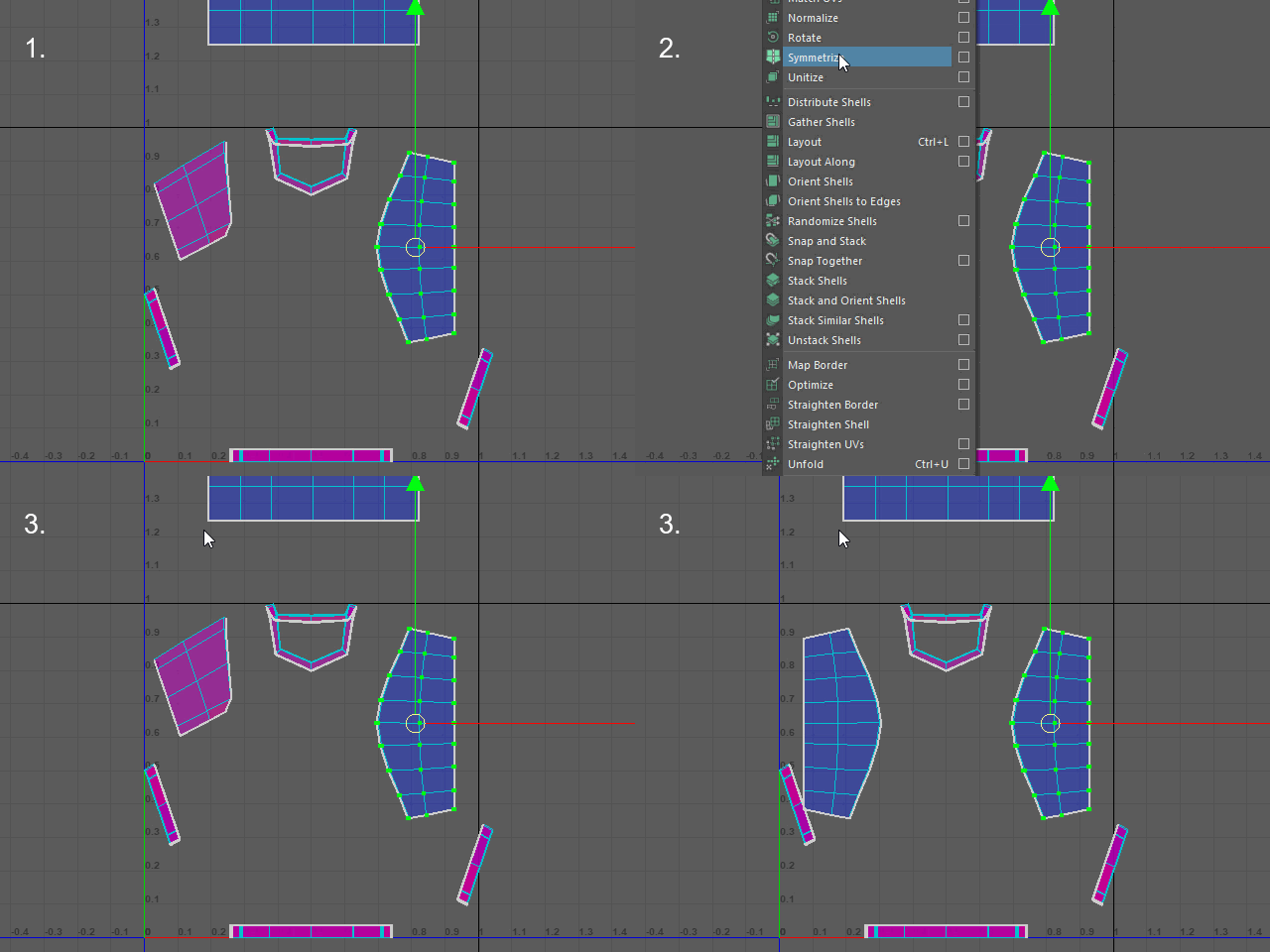
Apply Symmetrize.
Symmetrize を適用します。
12.
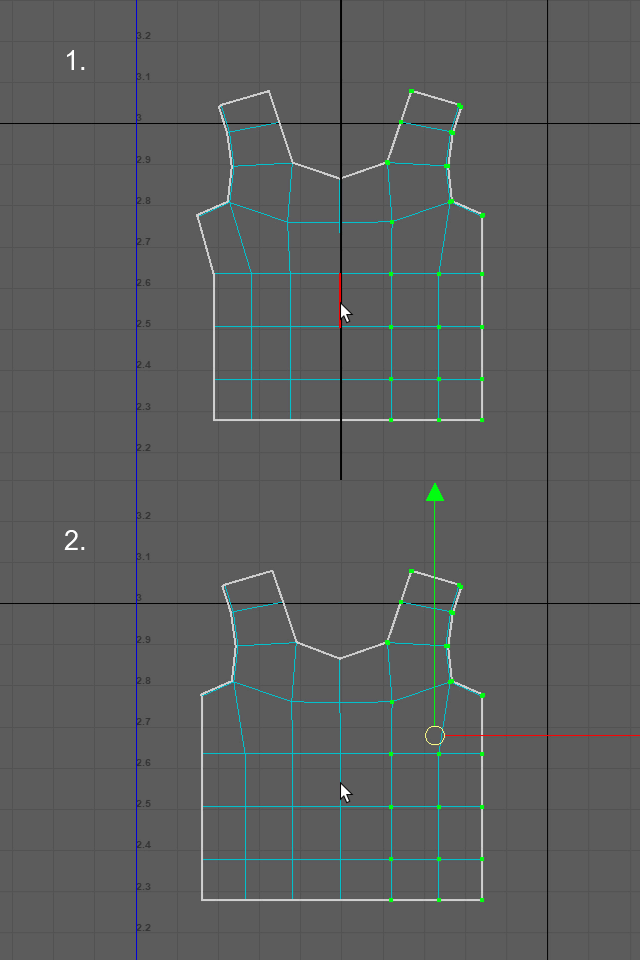
Click the center line.
Now the UV map is symmetric.
中心のエッジをクリックします。
13.
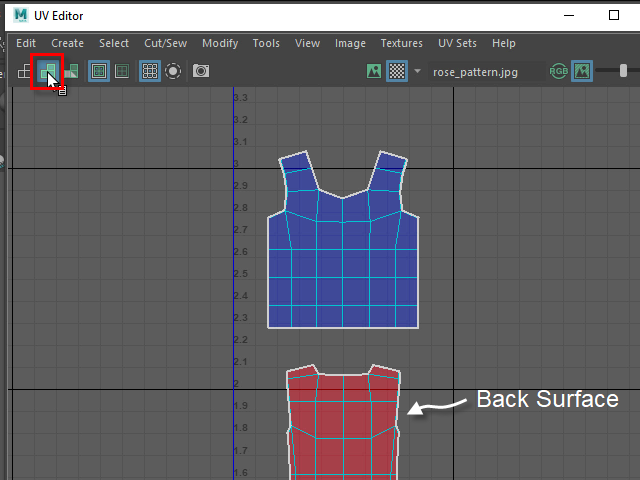
Click the second icon from the left.
If you see the red color, UV map need to be flipped.
左から二番目のアイコンをクリックし、面の裏表をチェックします。
赤く表示される場合は、面が裏返しになっています。
14.
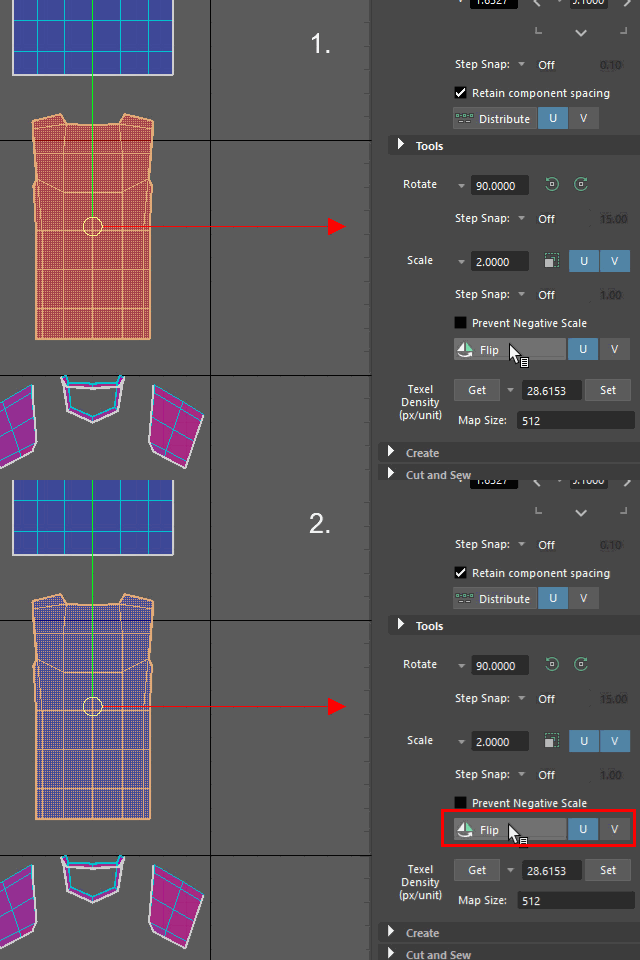
Flip the UV map on U direction.
Flip で反転します。横向きに反転するので U 方向を選択します。
15.
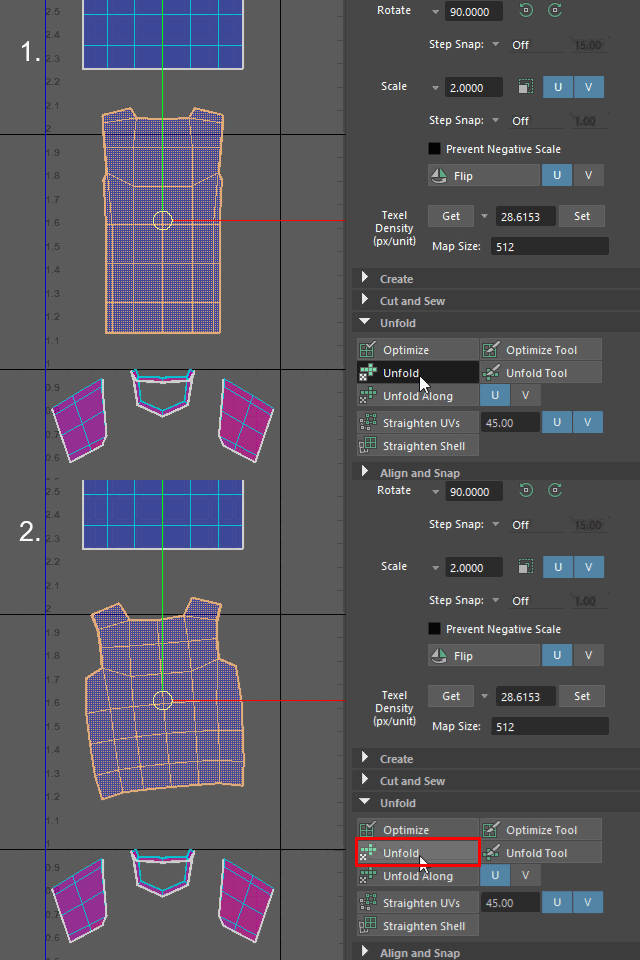
Apply Unfold and spread UV Map evenly.
Unfold で面を均一に広げます。
16.
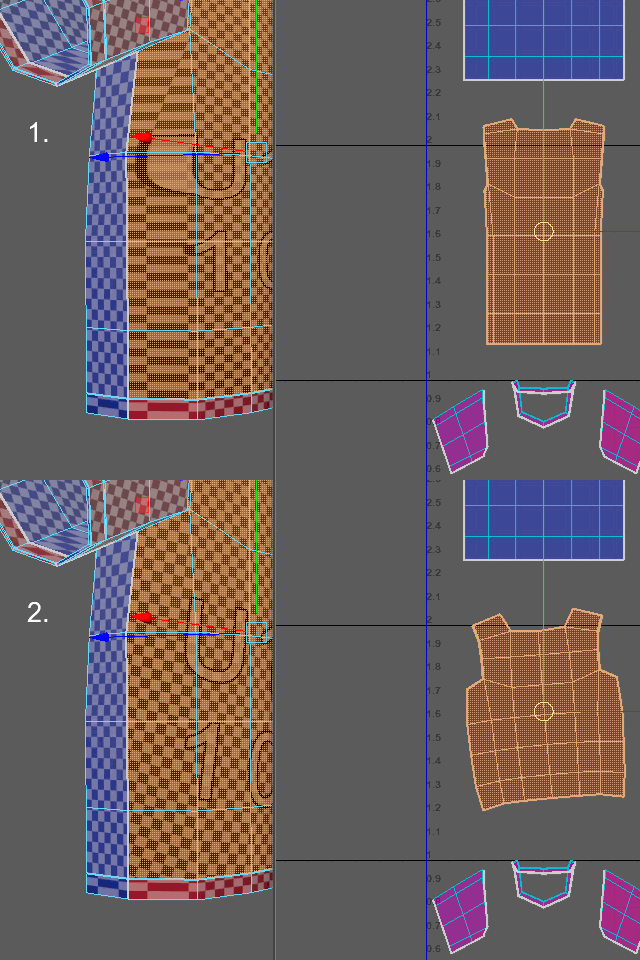
Stretched textures were fixed.
このように伸びたテクスチャが修正されます。
17.
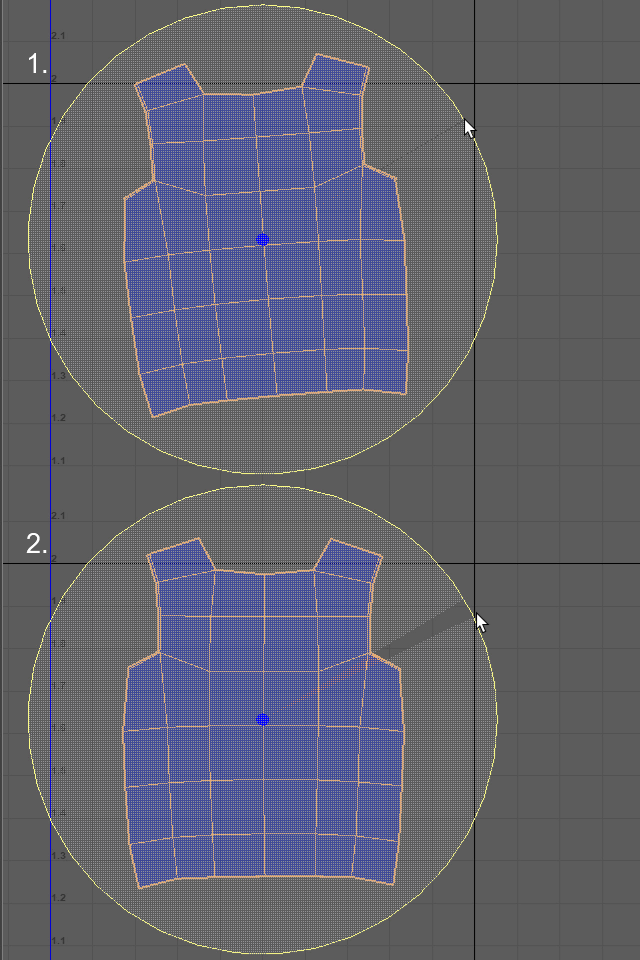
Rotate and make the UV map straight.
回転させます。
18.
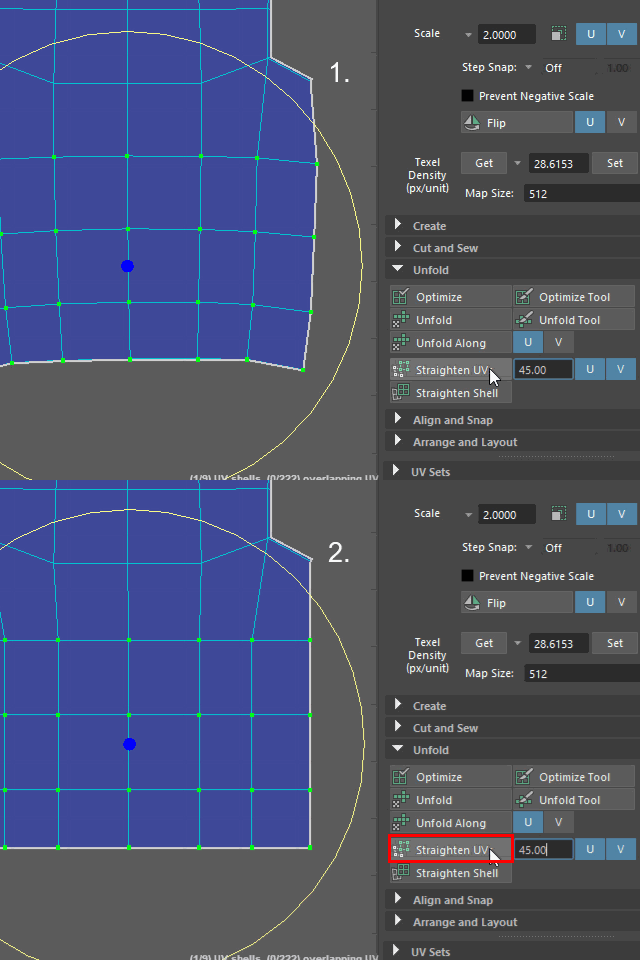
Apply Straighten UVs.
Straighten UVs で縦横真っ直ぐにします。
19a.
Turn off Symmetry.
Symmetry を解除します。
19b.
Move the selected UVs and make them straight.
UVを移動し、横のラインを真っ直ぐにします。
左右対称に移動ができないので、片側だけを移動します。
19c.
Select the right side of UVs.
Symmetrize で左右対称にしてみます。
まずこのように片側のUVをセレクトします。
19d.
Apply Symmetrize.
Symmetrize を適用します。
19e.
Click the center line.
Now the UV map is symmetric.
中心のエッジをクリックします。
20.
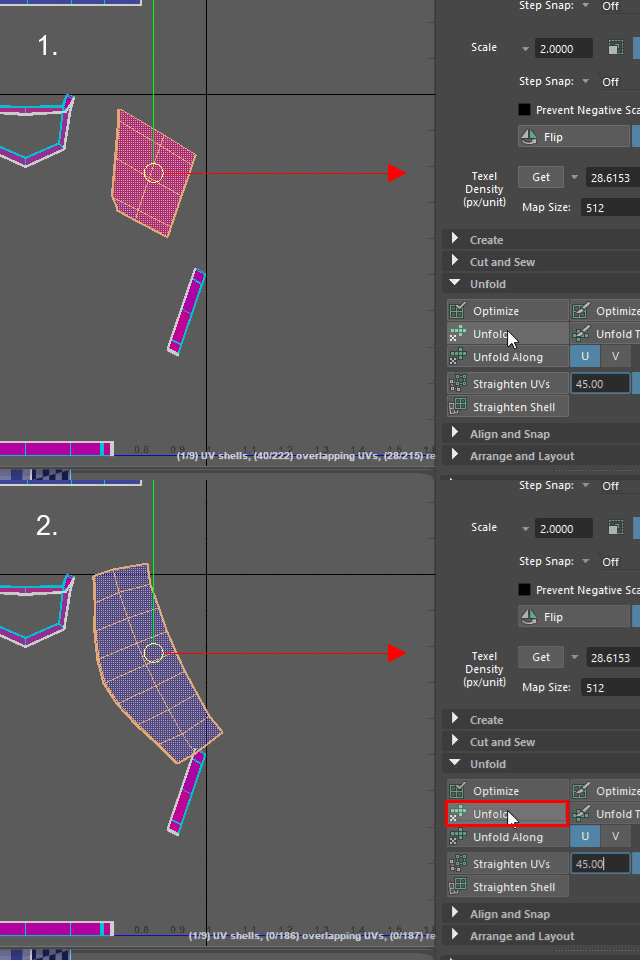
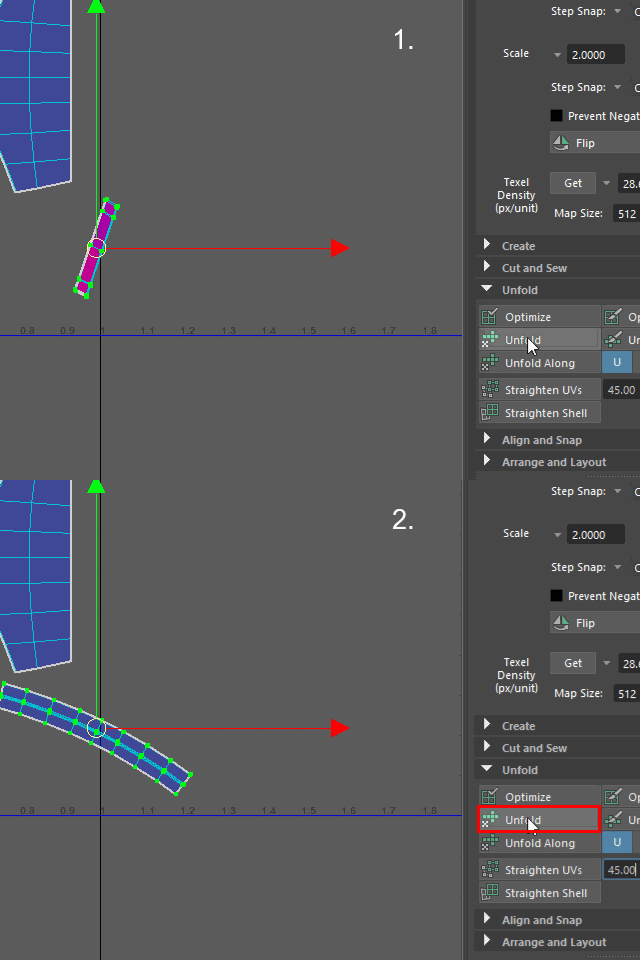
Unfold the sleeve.
片側の袖をUV Shell (または UV)でセレクトし、Unfold します。
21.
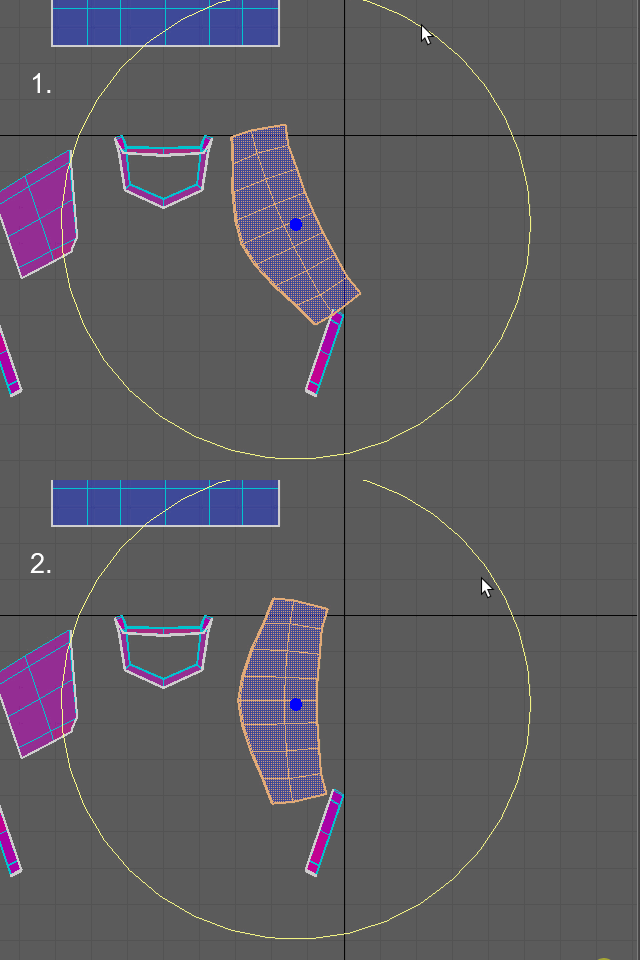
Rotate.
回転させます。
22.
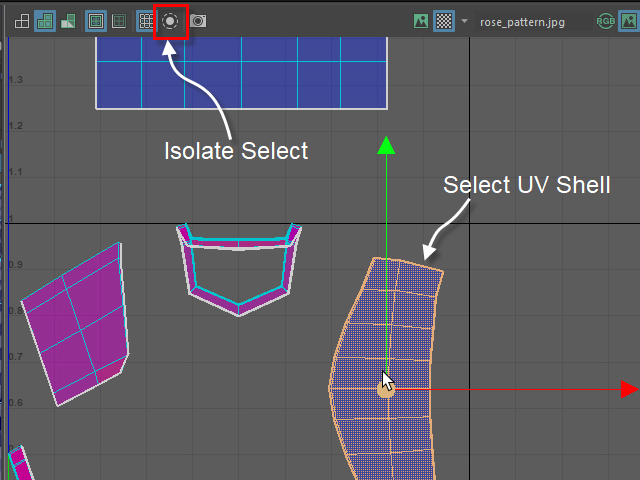
Select the sleeve then apply Isolate Select.
袖だけをセレクトし、Isolate Select で他のUV マップを非表示にします。
23.
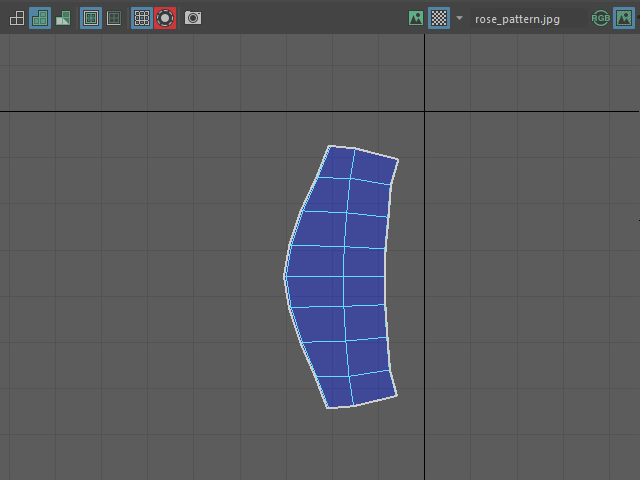
このようになります。
24.
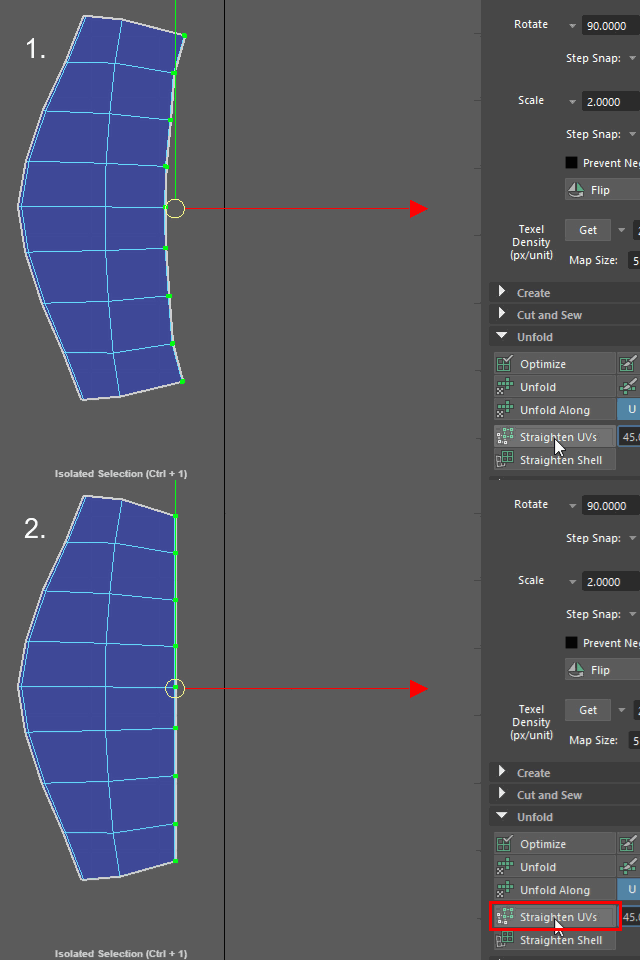
Select the right side UVs and apply Straighten UVs.
左端のUVを真っ直ぐにします。
25.
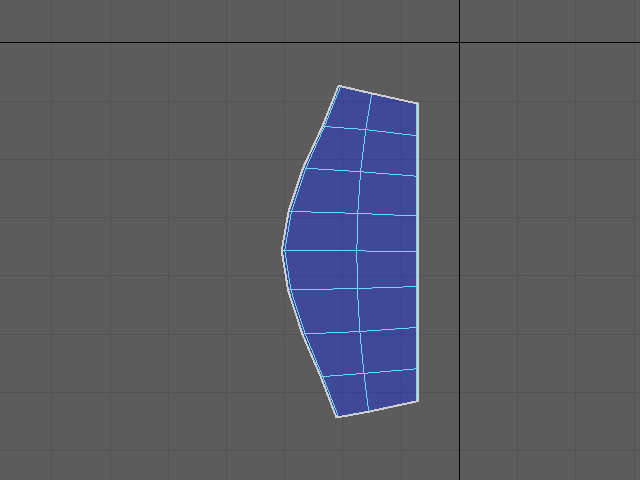
This is the typical sleeve pattern.
The shoulder side has a smooth curve like this.
このような形になります。
この形は袖の典型的なパターンで、腕の付け根の側がこのような放物線になります。
26.
I am going to apply Symmetrize.
Symmetrize で反対側の袖も同じ形にしてみます。
27.
Select the right sleeve.
Apply Symmetrize.
このように片側の袖をセレクトし、Symmetrize で左右対象にします。
28.
Apply Unfold on the cuff.
袖口をUnfold で広げます。
29.
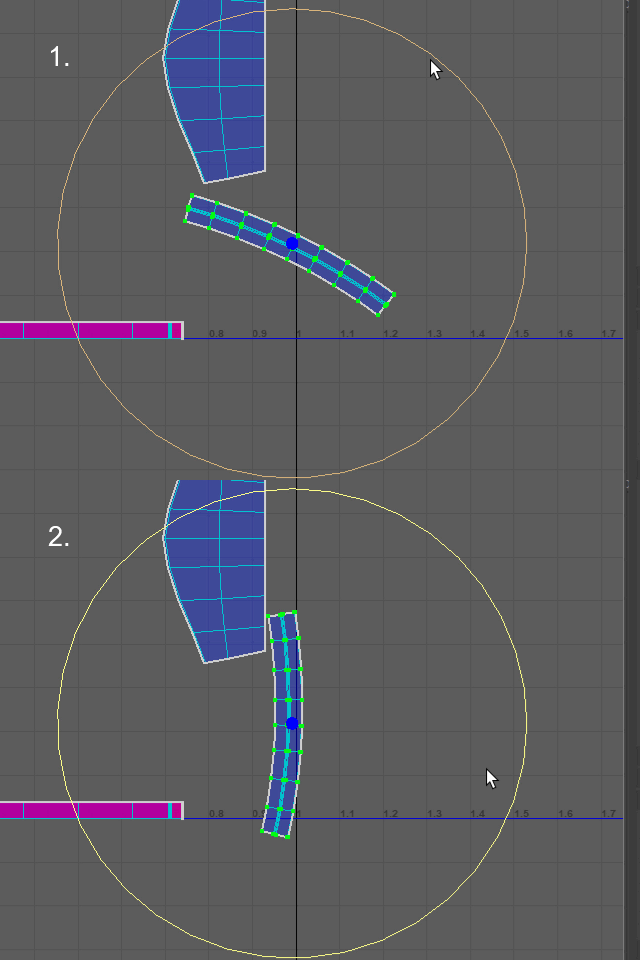
Rotate it.
回転させます。
30.
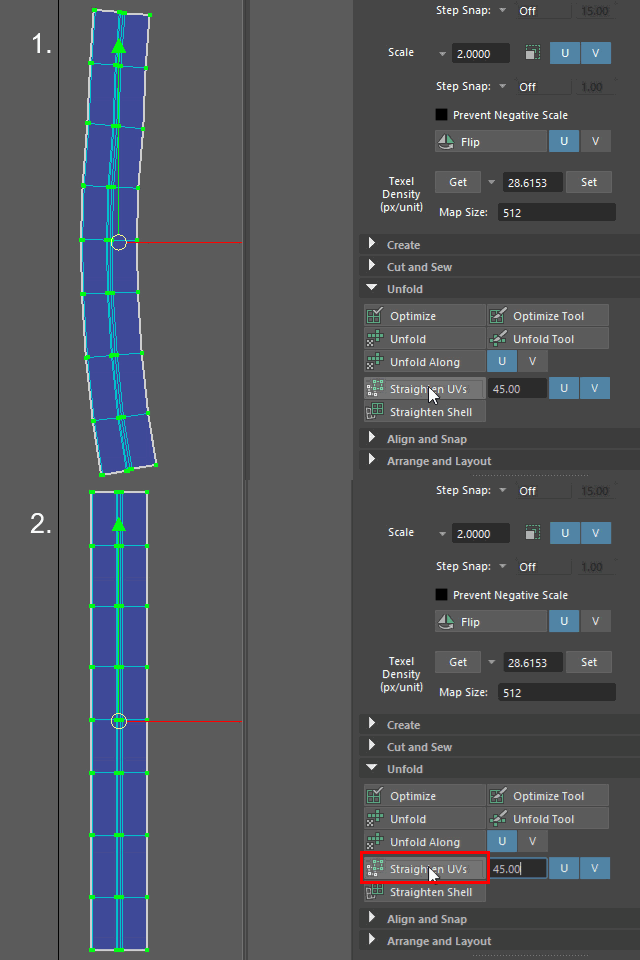
Apply Straighten UVs.
縦横真っ直ぐにします。
31.
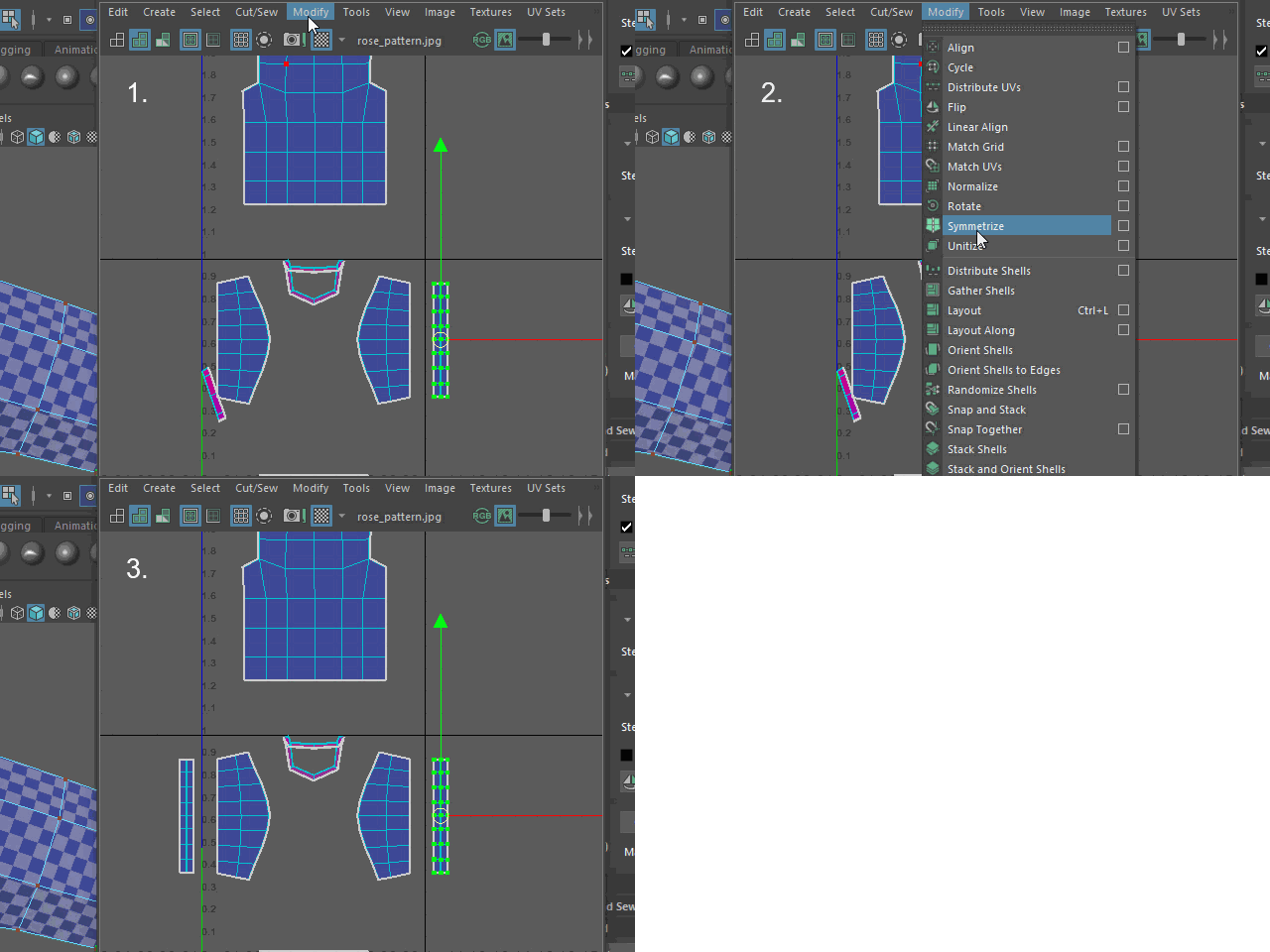
Apply Symmetrize.
Symmetrize で左右対称にします。
32.
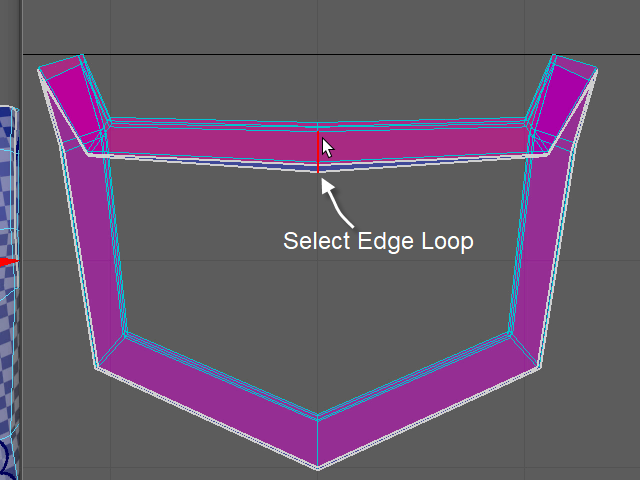
Select the edge loop on the collar part.
このように襟のエッジループをセレクトします。
33.
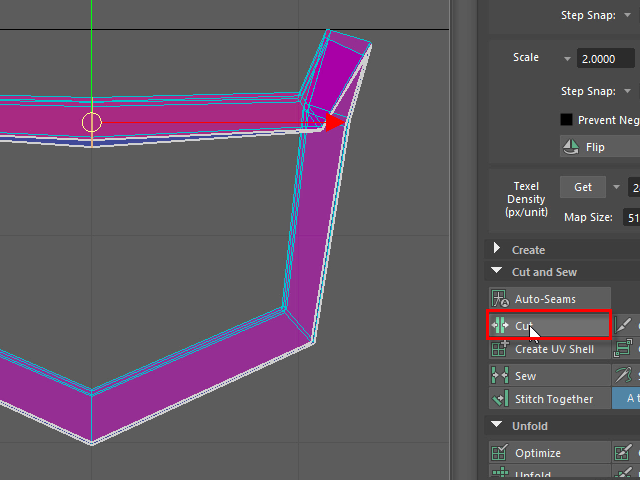
Apply Cut.
Cut します。
34.
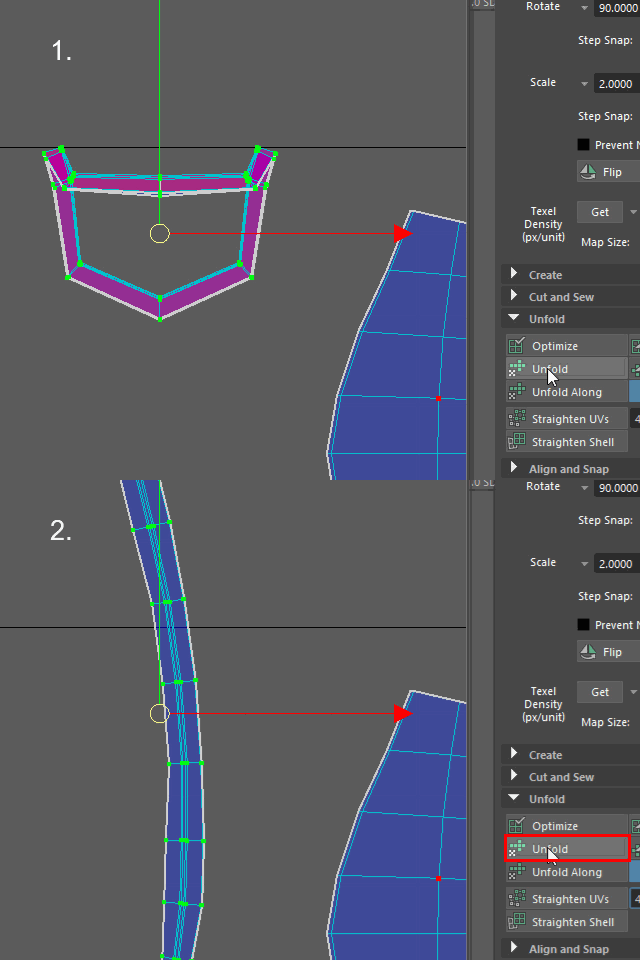
Unfold
35.
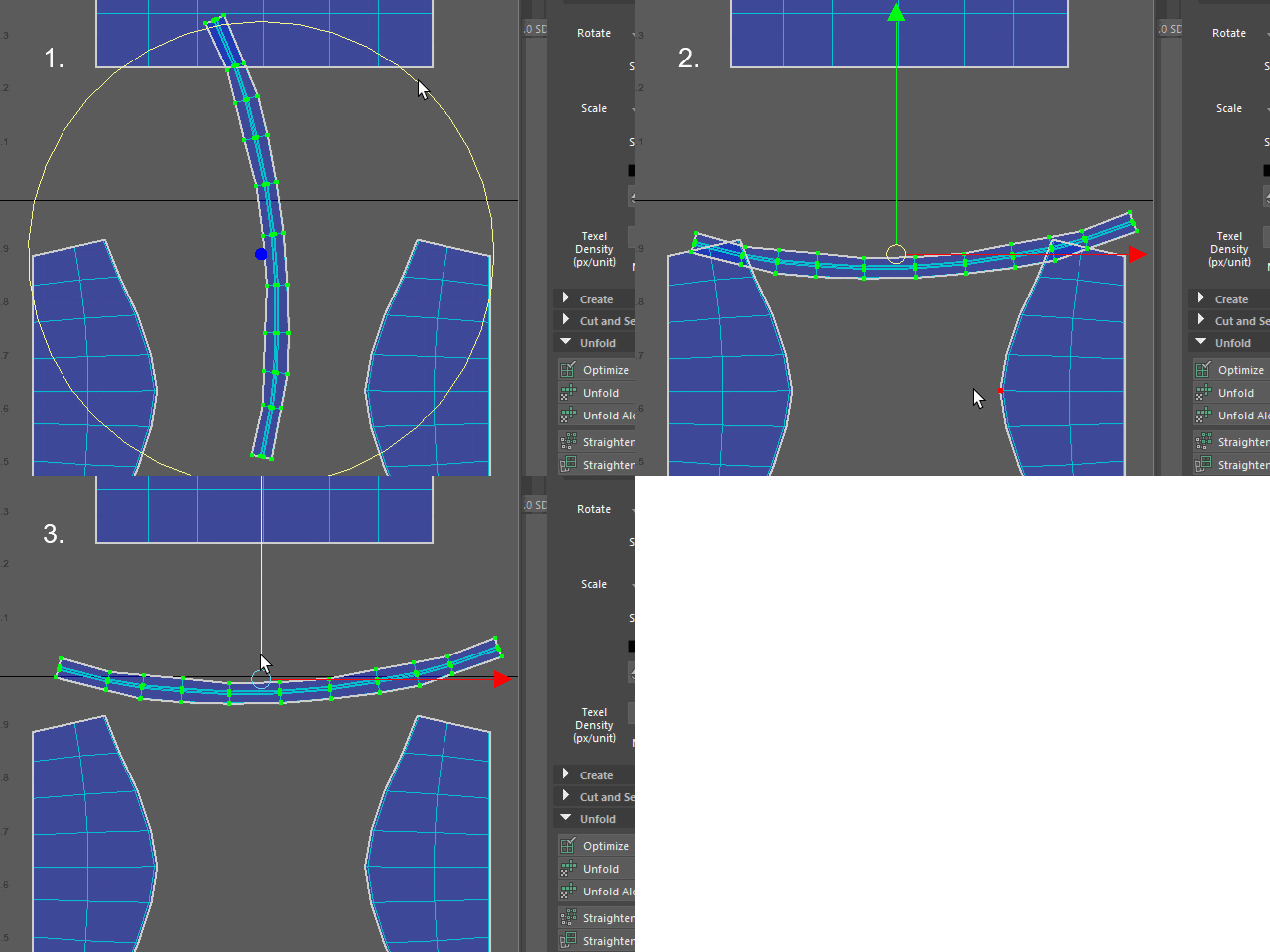
Rotate.
回転
36.
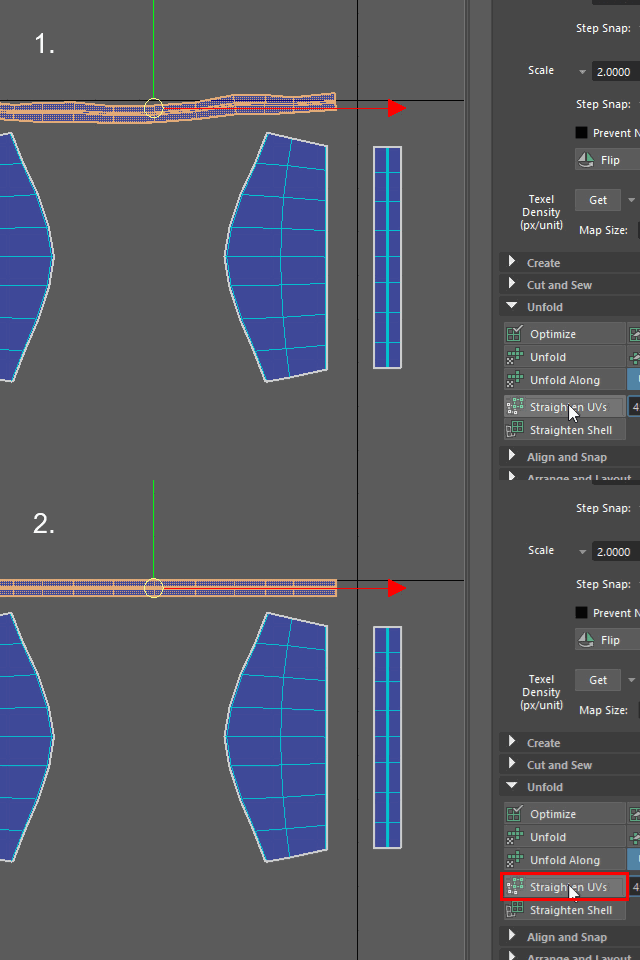
Straighten UVs
37.
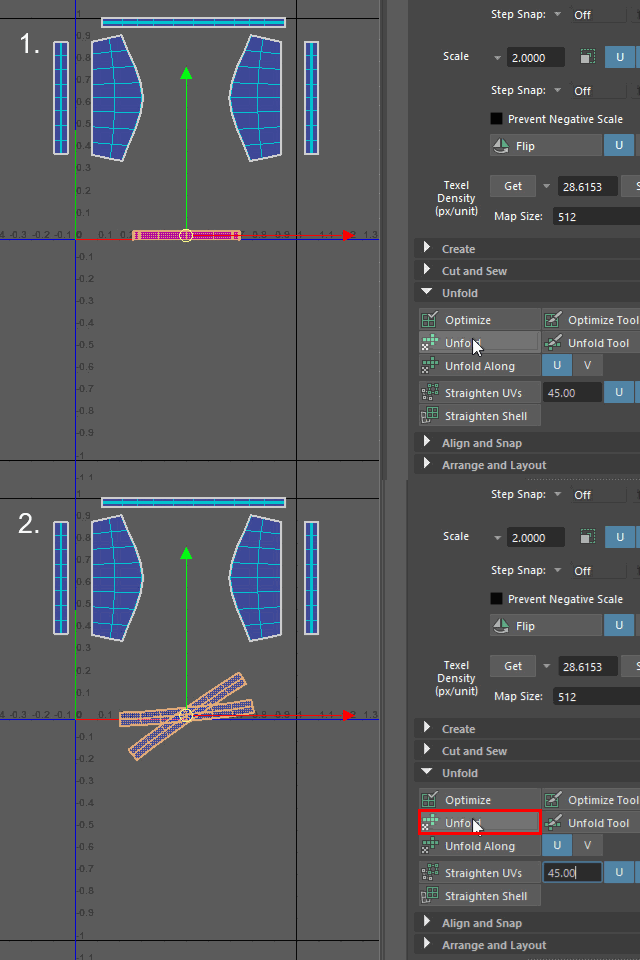
Unfold the bottom piece.
I cut two places by accident.
Unfold します。
間違って二か所Cut したようです。
38.
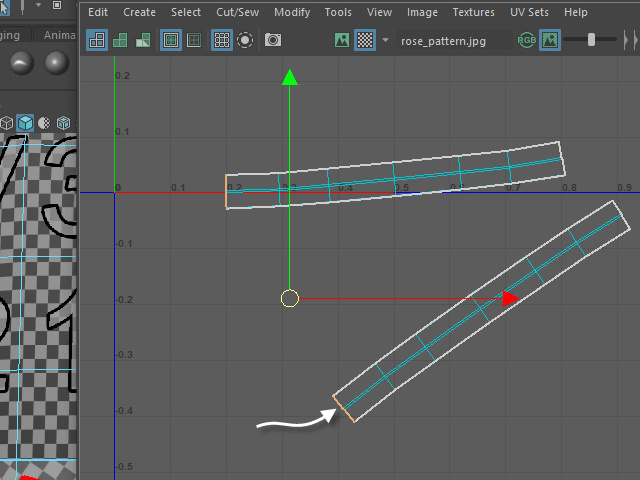
Select the edges like this.
このようにエッジをセレクトします。
39.
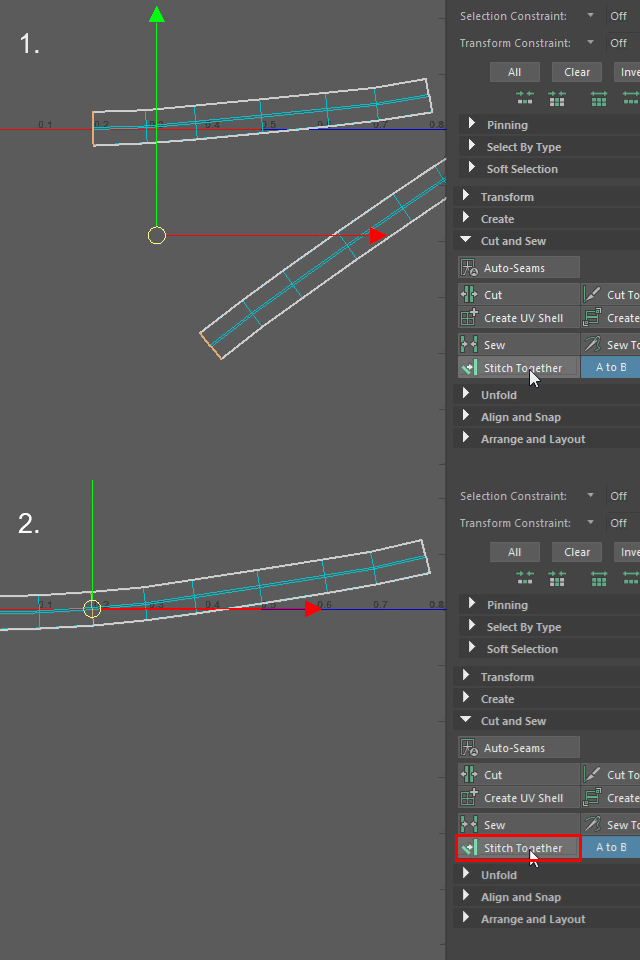
Apply Stitch Together.
Stitch Together で繋ぎ合わせます。
40.
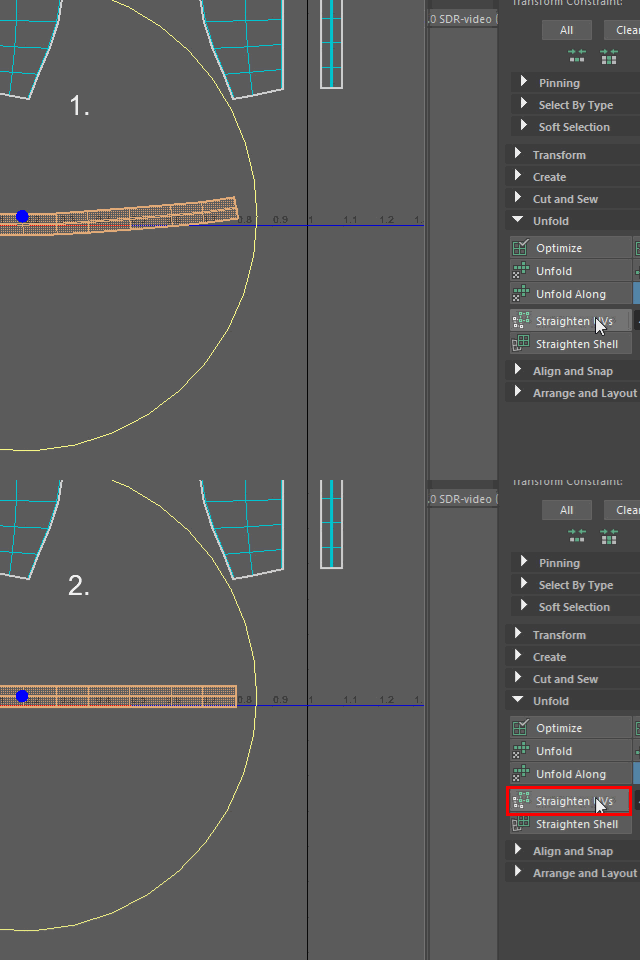
Apply Straighten UVs.
Straighten UVs で真っ直ぐにします。
41.
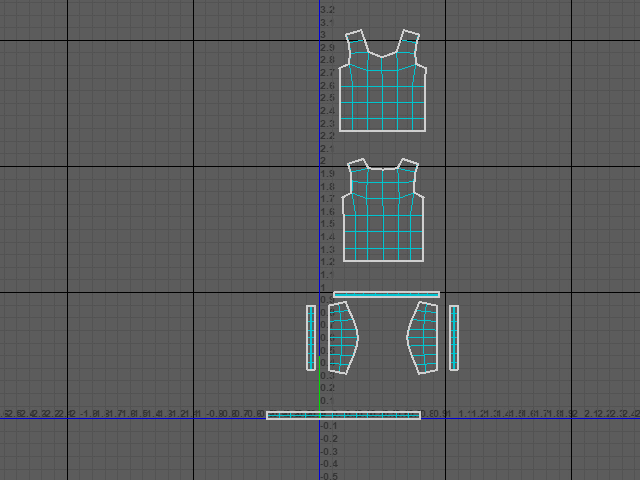
All UV Maps are unfolded.
このようになります。