4. Layout

1.
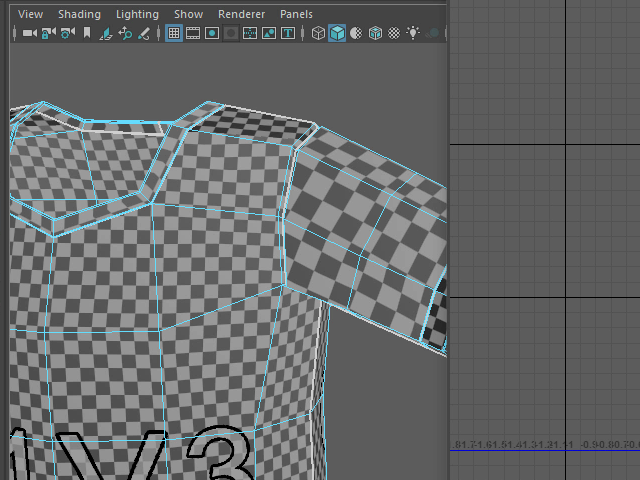
The size of the sleeve texture is different from the body texture.
All textures have to be the same size.
腕とボディーのテクスチャの大きさが違う場合は統一する必要があります。
2.
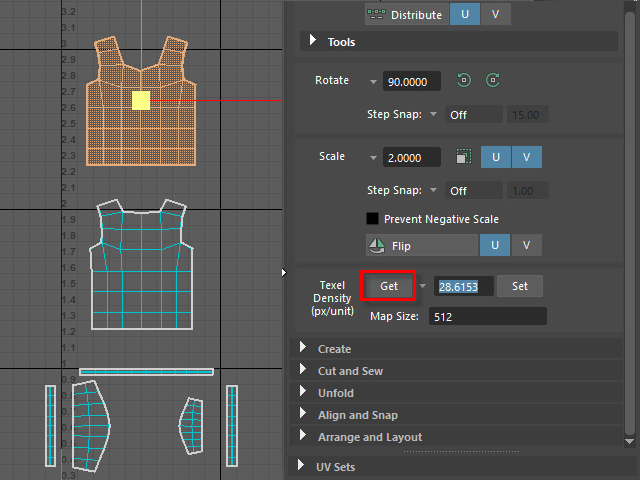
Select one of the UV Shell for the base shape.
Apply Get.
まず基準となるUV Shell をどれか一つ選択し、
Texcel Density のGet をクリックします。
3.
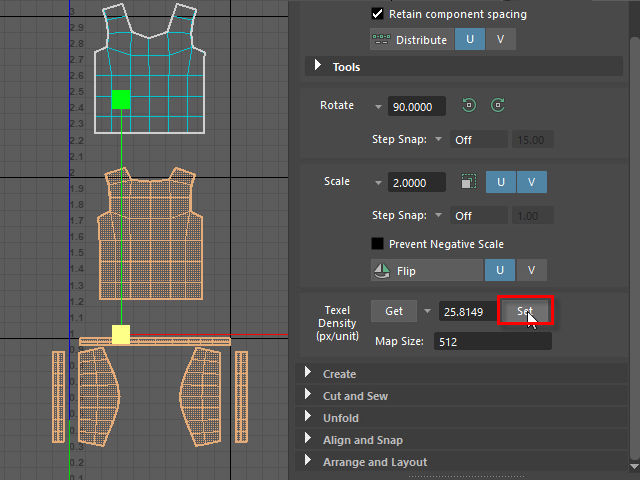
Next select the all other shapes.
Apply Set.
Now, all the textures are the same size.
次にセレクションを反転し、Set をクリックします。
これでテクスチャの大きさが統一されます。
4.

Select all UV Shells.
Apply Layout.
すべてセレクトし、Layout をクリックします。
5.

All UV Maps go into the UV space.
このようにテクスチャー スペース内にすべて収まります。
これでUV展開は終了です。
6.
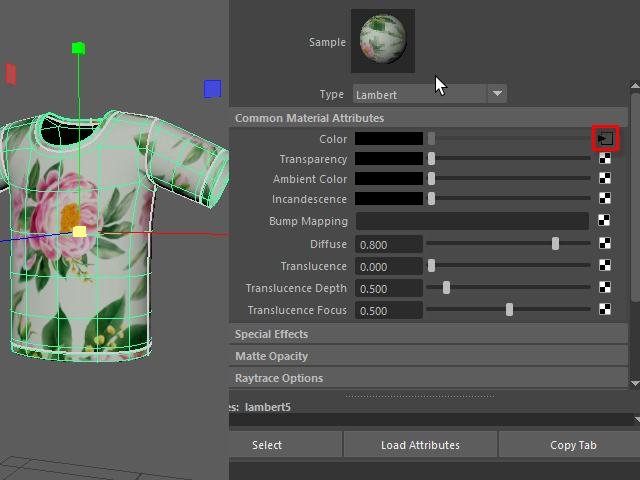
Apply a texture as a color map.
Hit keyboard 6 to check the texture.
To change the texture size, go to Color option.
UV展開するとこのようにテクスチャが伸びることなく張り付けられます。
次にテクスチャの大きさを変えてみます。
まずColor のオプションをクリックします。
7.
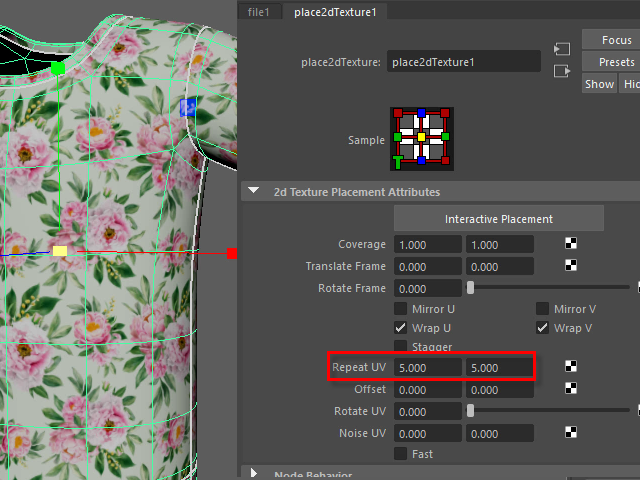
Change the texture size with Repeat UV.
Repeat UV でテクスチャの大きさを変えます。