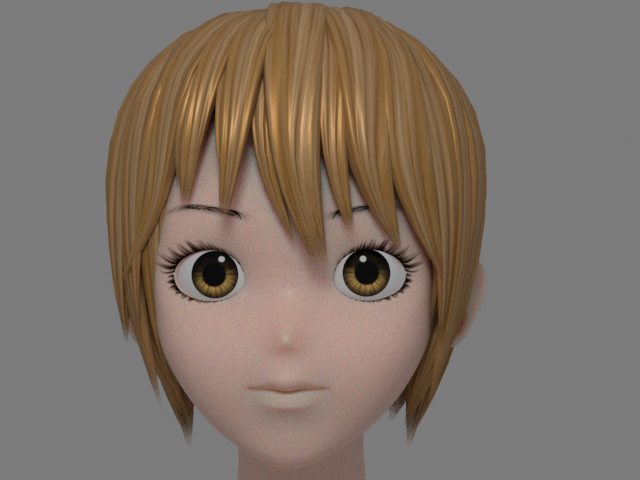
5. Rendering

1.

Use AI Standard Surface for the face.
Adjust Subsurface Scale.
顔のシェイダーは AI Standard Surface を使用します。
Subsurface Scale を調整します。
2.
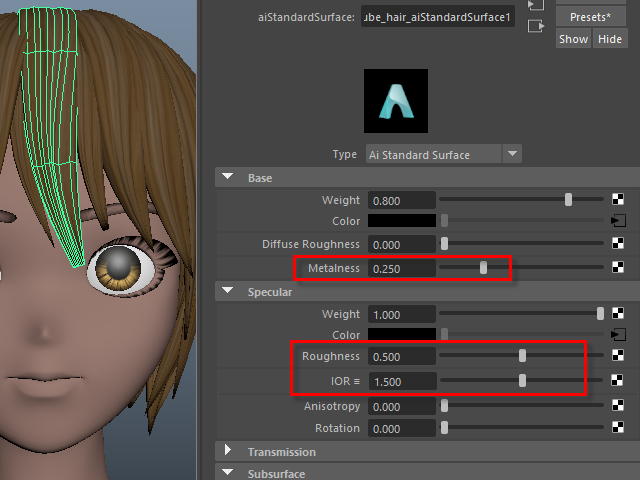
Apply Metalness a little on the hair tube to make the hair shiny.
髪の輝きを出すために少し Metalness を入れます。
3.
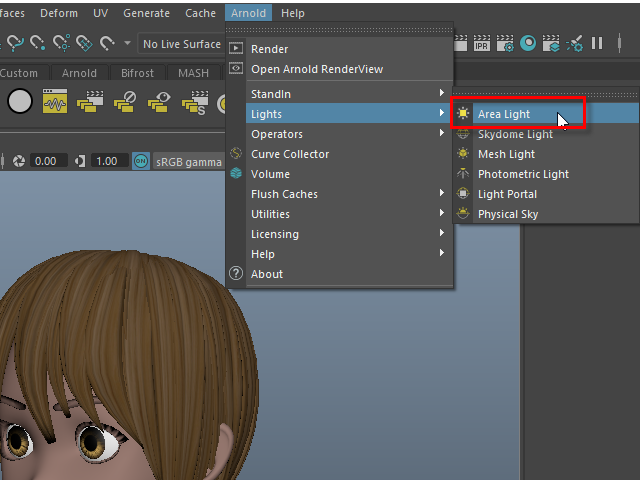
Make an Area Light.
Area Light を作成します。
4.
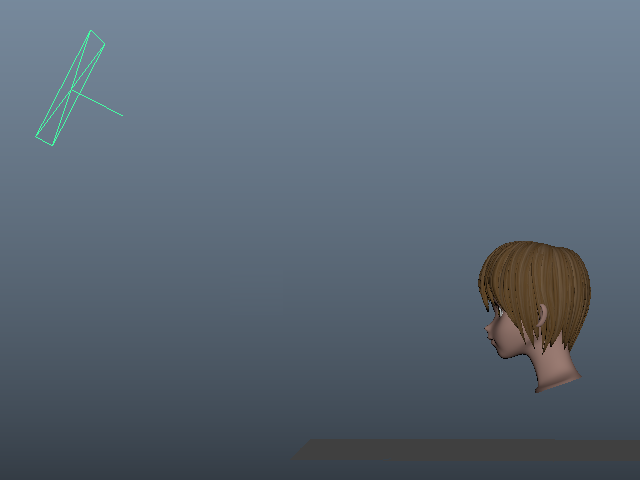
Make enough distance like this.
このように十分な距離を開けます。
5.
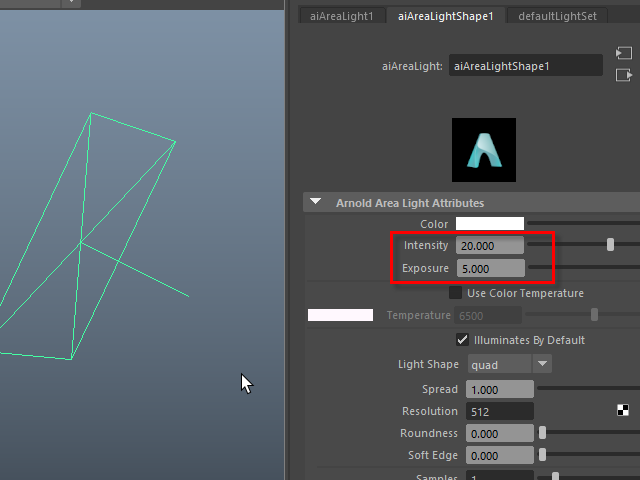
Increase Intensity and Exposure.
Intensity and Exposure を調節します。
6.
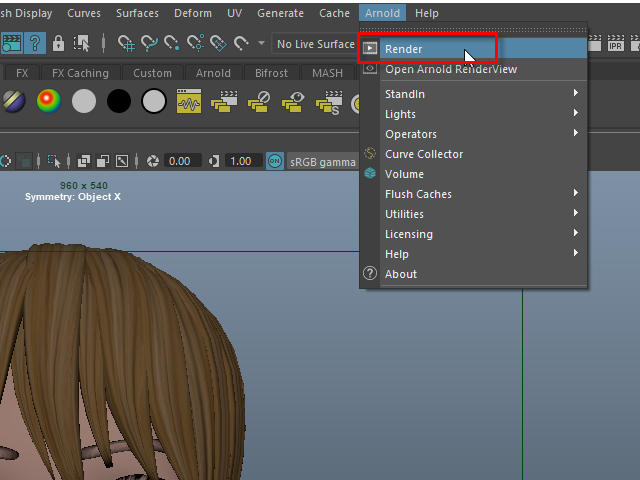
Start rendering.
7.
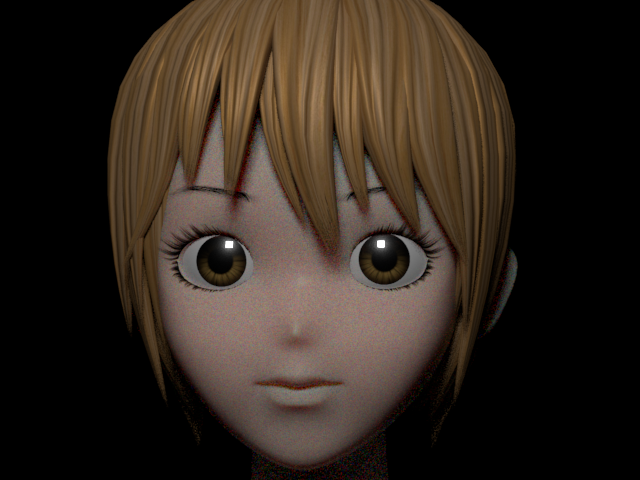
I am going to change the shape of the specular on the eye.
眼球のハイライト (specular) の形を変えてみます。
8.
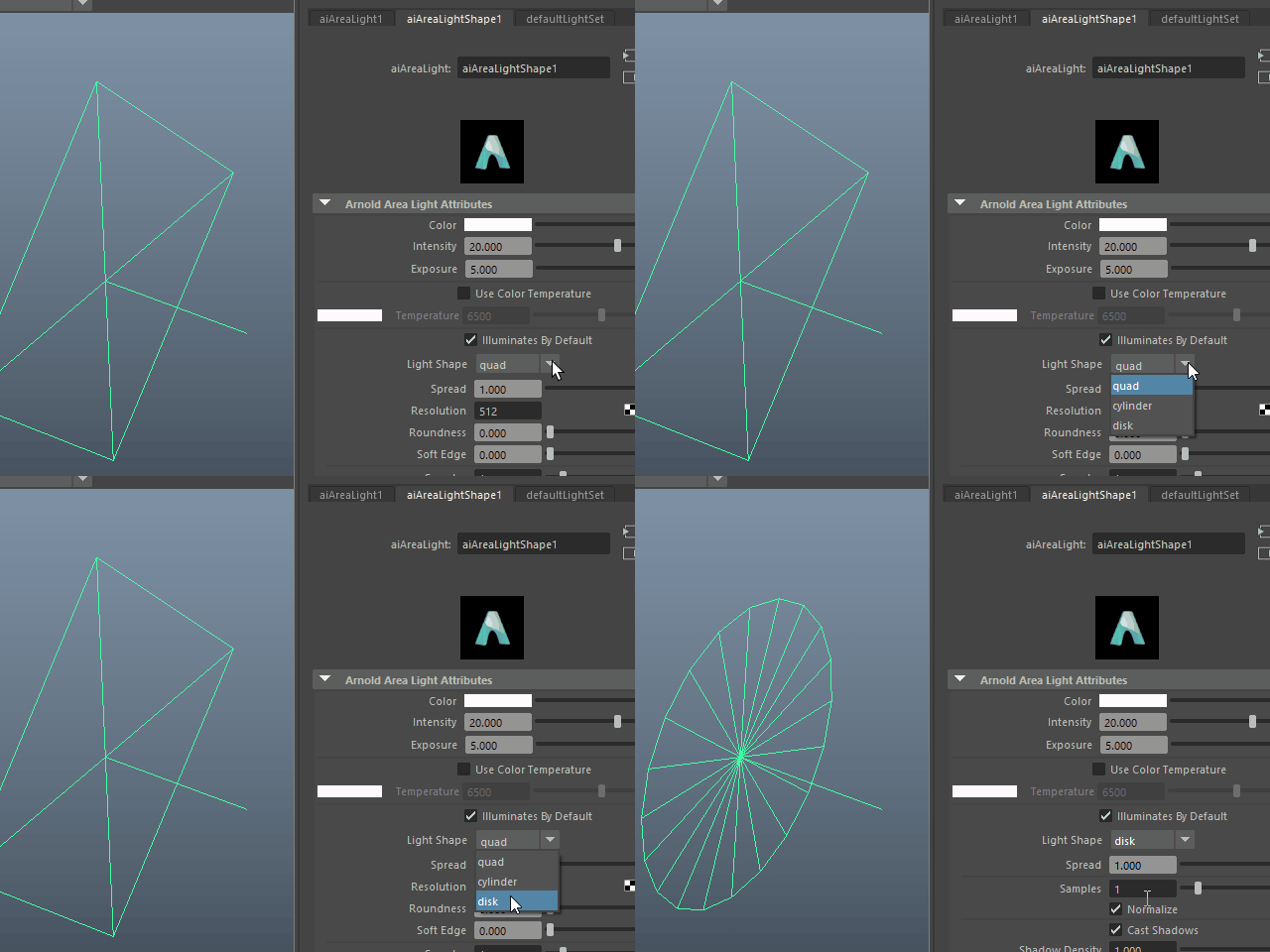
Change to disk.
disk に替えます。
9.
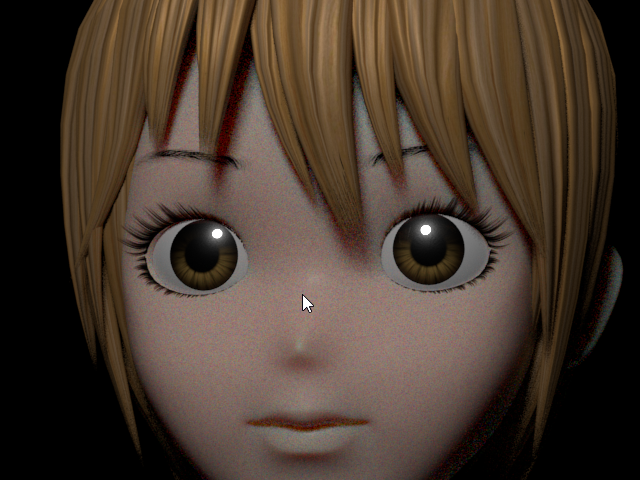
It's going to be like this.
このようになります。
10.
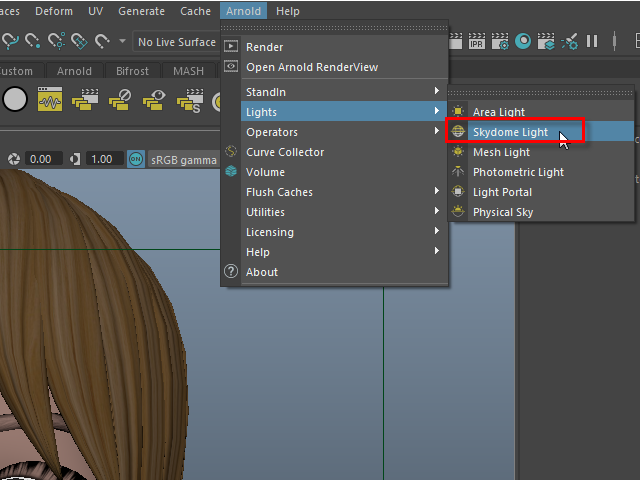
Add Skydome Light.
Skydome Light を作成します。
11.
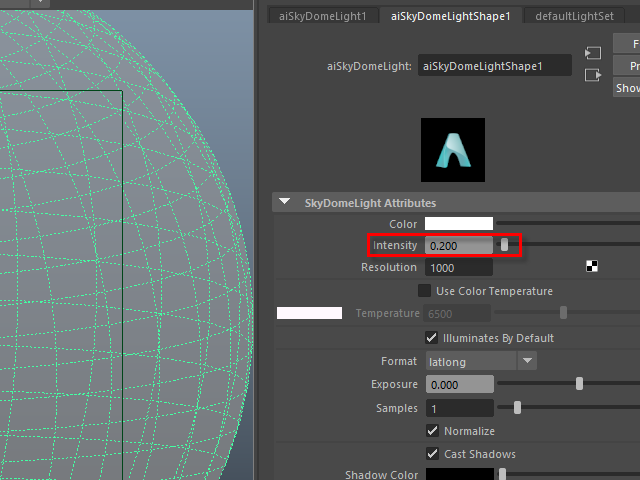
Adjust Intensity.
Intensity を調整します。
12.
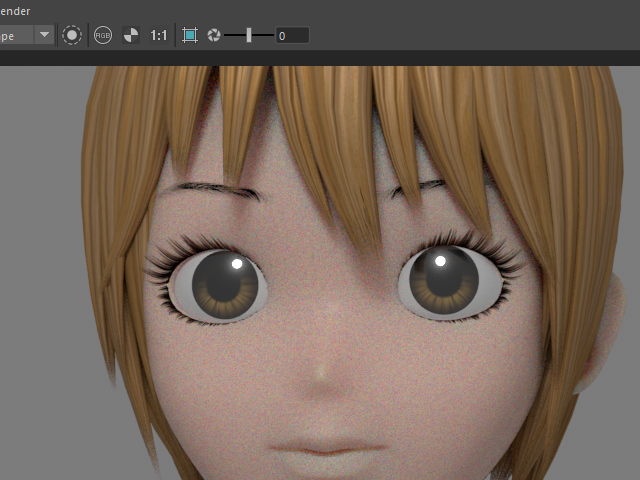
If you assigned blinn, the eyeball became cloudy because of the reflection of the Skydome.
Blinn を張り付けた場合、このように Skydome の色が眼球に映り込み、このように眼球が曇ってしまいます。
13.
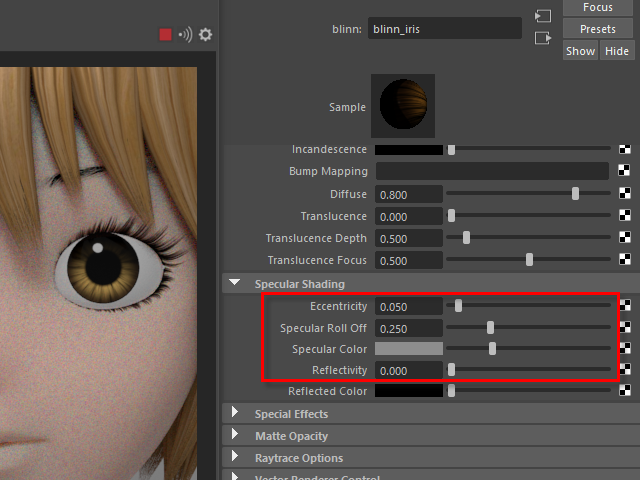
If you assigned blinn, adjust Specular Shading to get rid of the cloudy reflection.
Blinn を張り付けた場合、Specular Shading を調整し、眼球の曇りを取り除きます。
14.
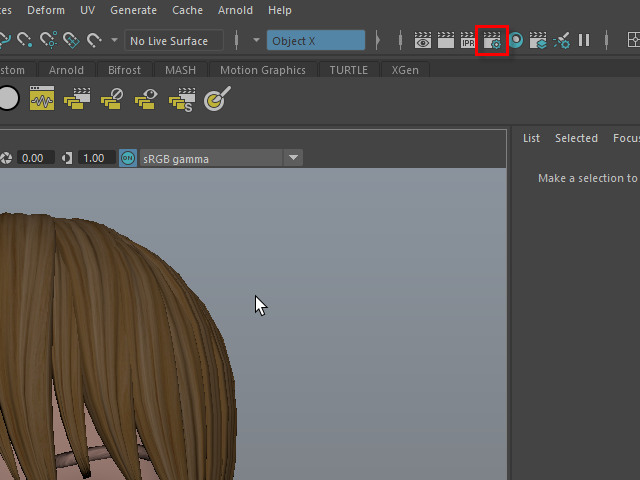
To increase the rendering quality, go to Render Settings.
レンダリングの質を上げてみます。 まず Render Settings をオープンします。
15.
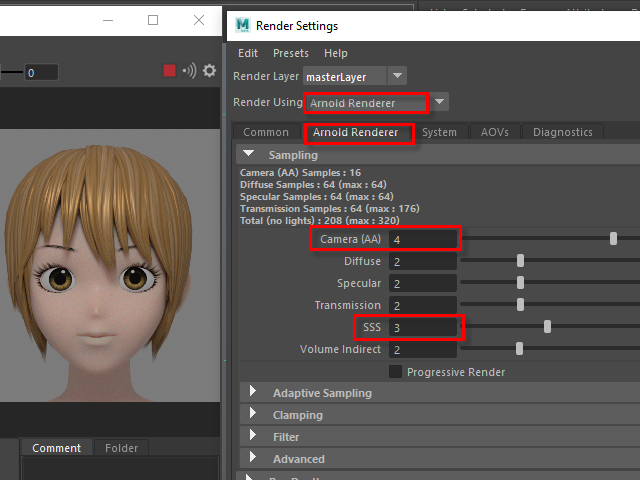
Increase Sampling number.
Sampling の数値を上げます。
16.