Rotating Hand
手を回転させる
 English日本語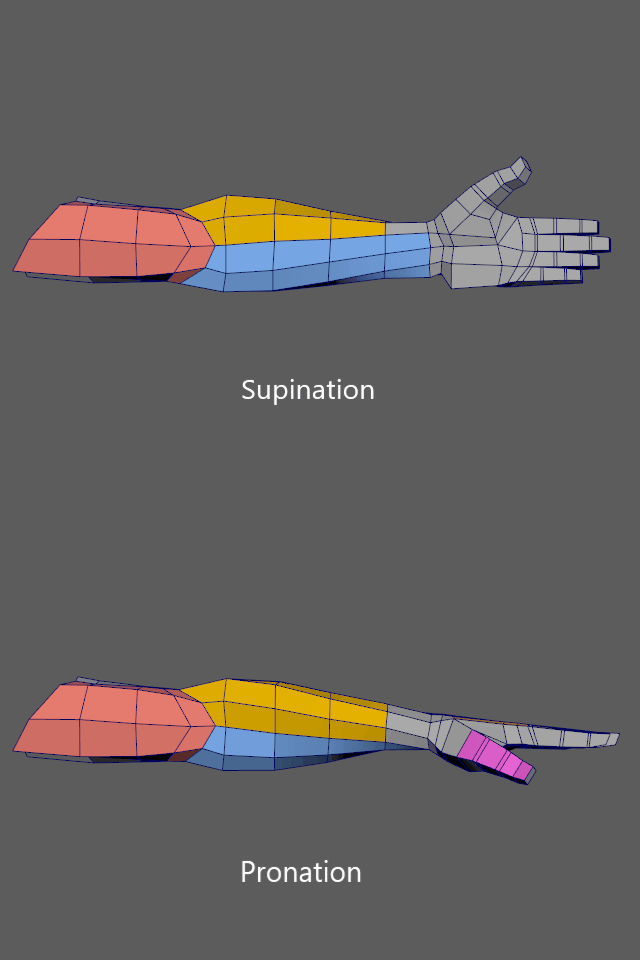
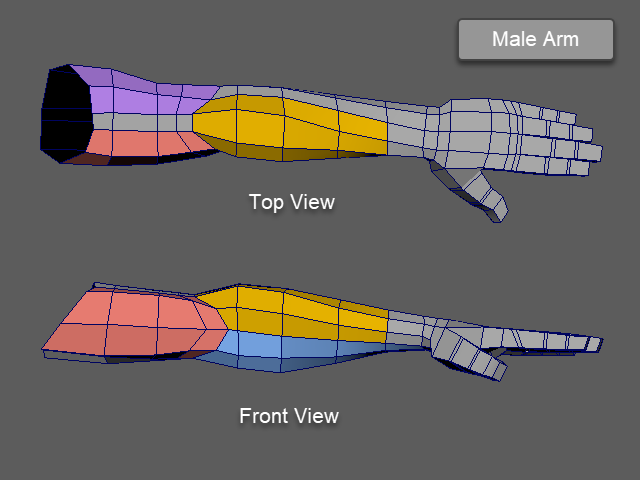
I am going to rotate the hand like this.
The wrist doesn't rotate. The entire forearm rotates.
Some animators and riggers like this palm down position (Pronation).
If you are working with someones, ask them which position they want.
このように手を手前に回転させてみます。
手首は回転しません。前腕全体がねじれるように回転します。
アニメーターやリガーの方にはこのようなポジションを好む場合があります。
チームプロジェクトの場合は、どのポジションが良いか、意見を聞いてから制作します。
1.
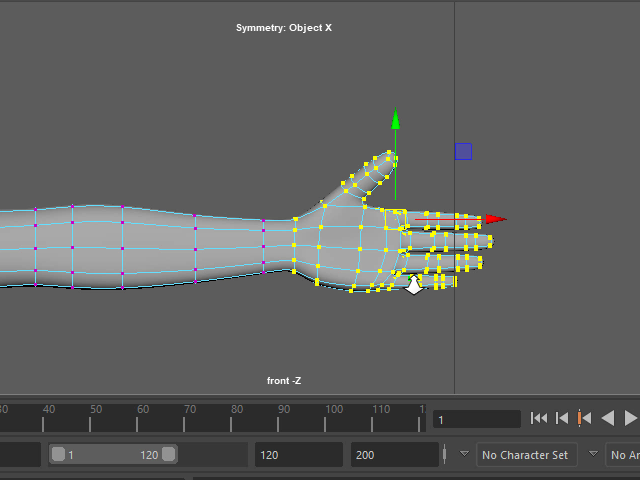
Select the vertices from the hand.
手のバーテックスをセレクトします。
2.
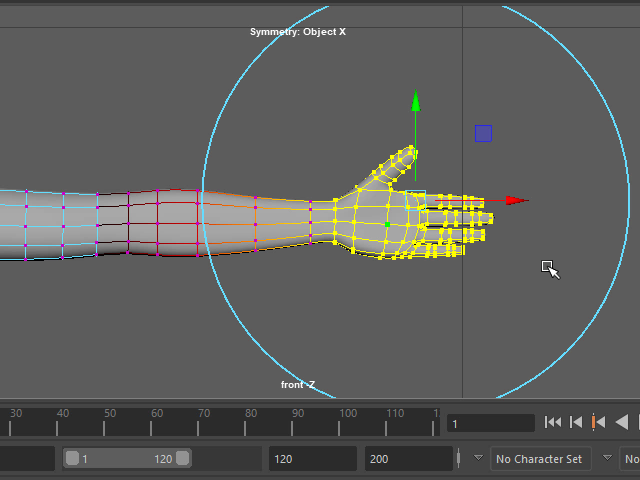
Hit B and apply Soft Selection.
Adjust the size by holding B.
キーボードBを押し、Soft Selection を適用します。
B を押した状態で範囲を調整します。
3.

Rotate the hand.
手を回転させます。
4.
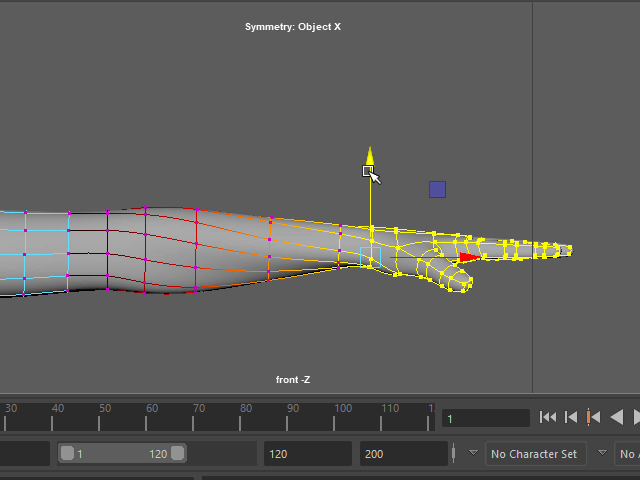
Move down the hand.
手を上下に移動し、形を整えます。
5.
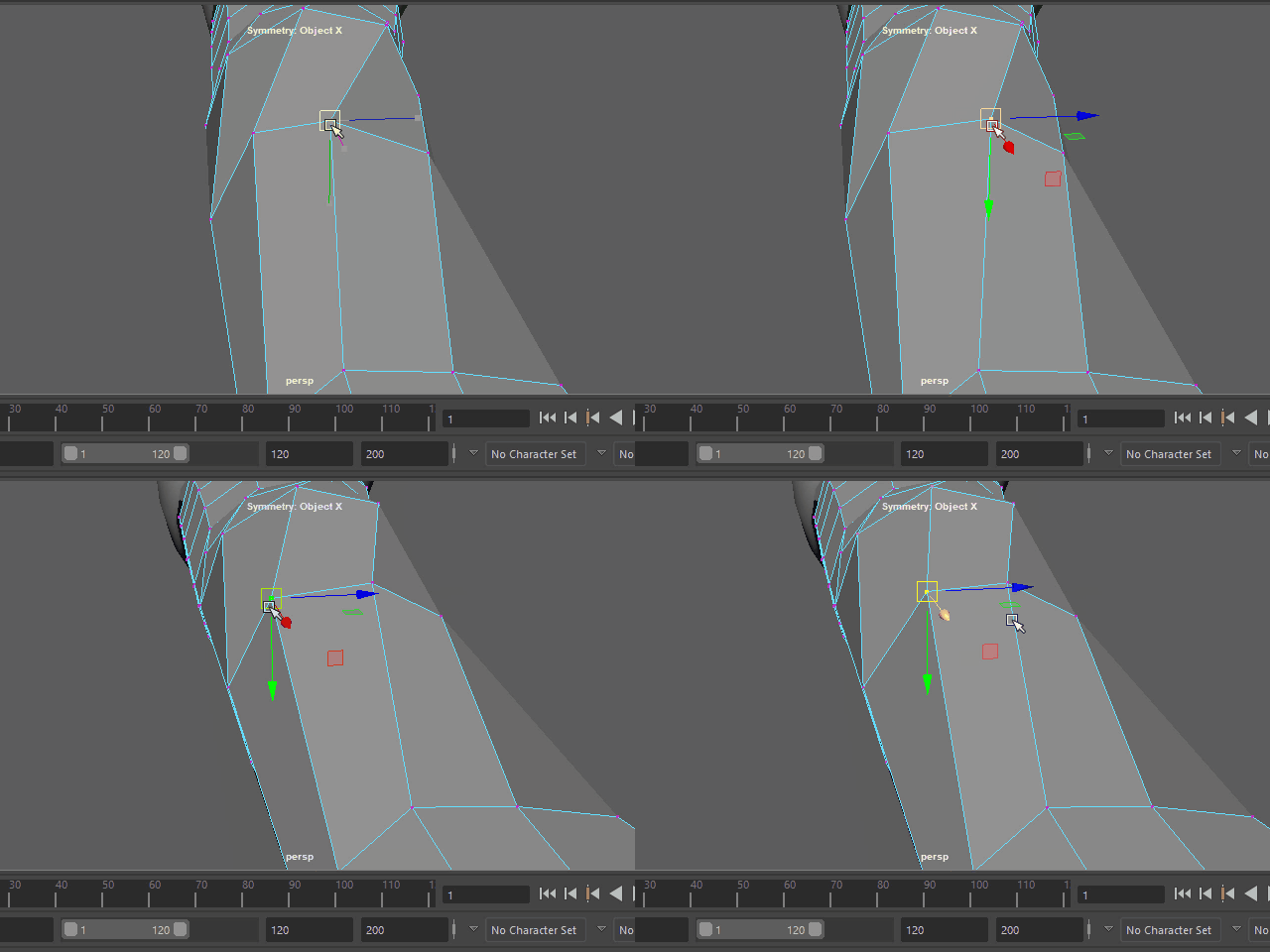
Make smooth wire flows.
To slide vertices over the surface, turn on Transform Constrain. See the image below.
エッジの流れをスムーズにします。
面に’沿ってバーテックスを移動する場合は、Transform Constrain から Surface を選択します。 次の画像を参考。
5b.
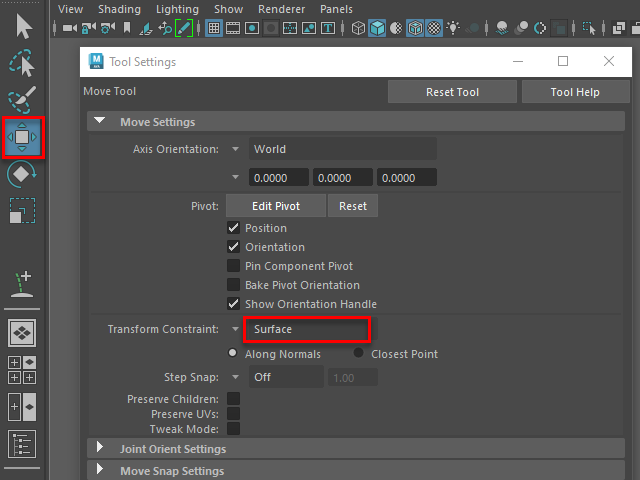
To slide vertices over the surface, choose Surface from Transform Constrain.
面に’沿ってバーテックスを移動する場合は、Transform Constrain から Surface を選択します
6.
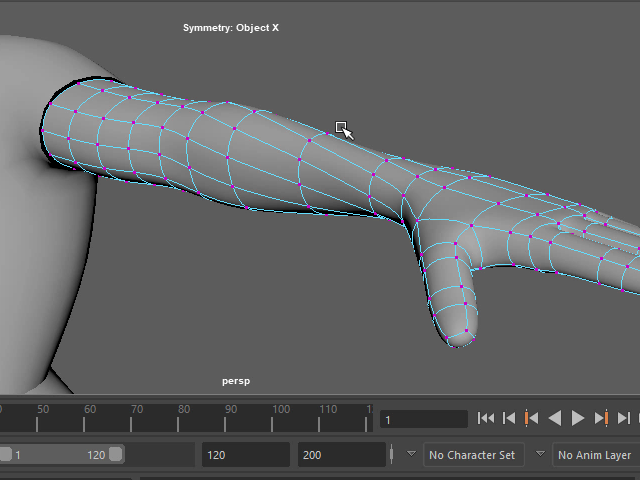
Make smooth wire flows.
エッジの流れをスムーズにします。
7.
8.
