Bending palm
手のひらを曲げる

1.
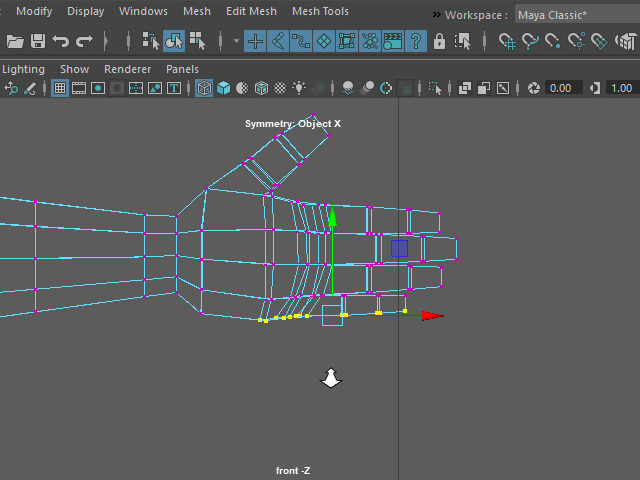
I am going to bend the palm.
Select the vertices like this.
手のひらを曲げてみます。
まず このように バーテックスを選択します。
2.
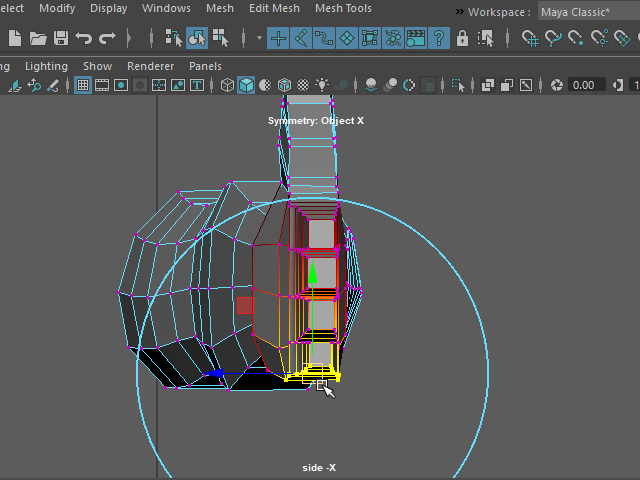
Hit B and apply Soft Selection.
Adjust the size by holding B.
キーボードBを押し、Soft Selection を適用します。
B を押した状態で範囲を調整します。
3.
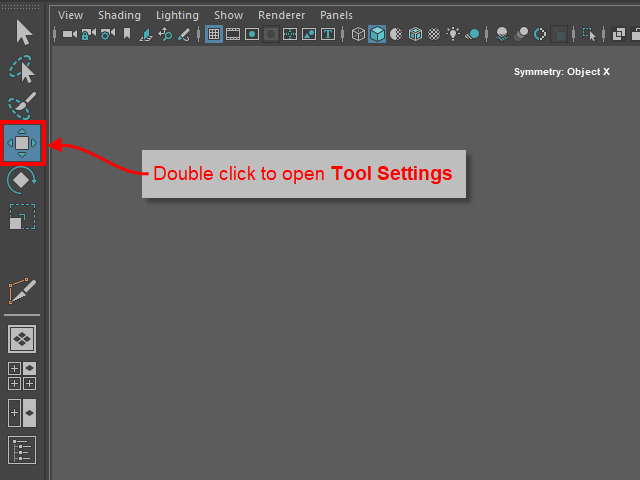
Double click the move icon and open Tool Settings.
Move アイコンをダブルクリックし、Tool Settings をオープンします。
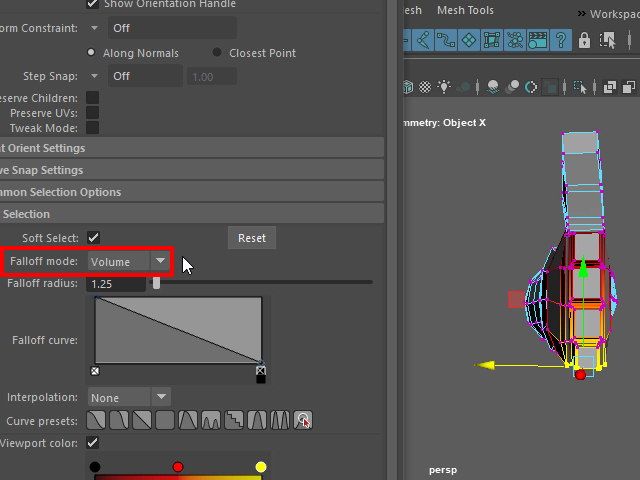
Make sure the Falloff mode should be Volume.
Falloff mode を Volume に設定します。
4.
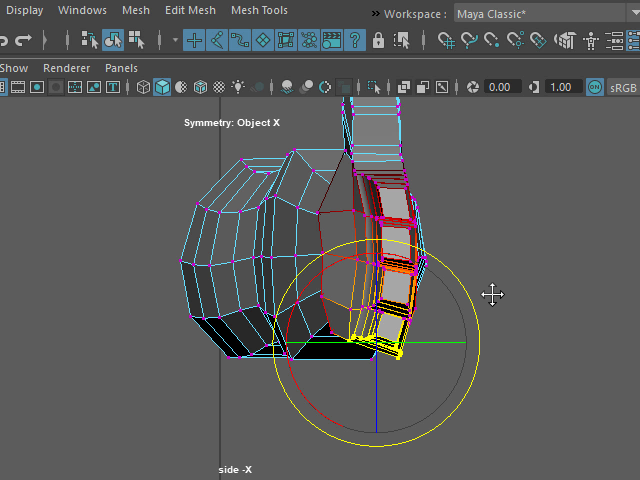
Rotate like this.
このように回転させます。
5.
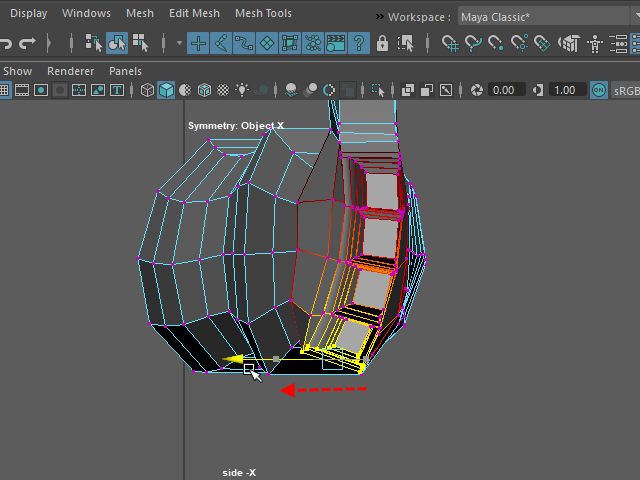
Move to the left and adjust the shape.
少し左に移動し、形を整えます。
12.
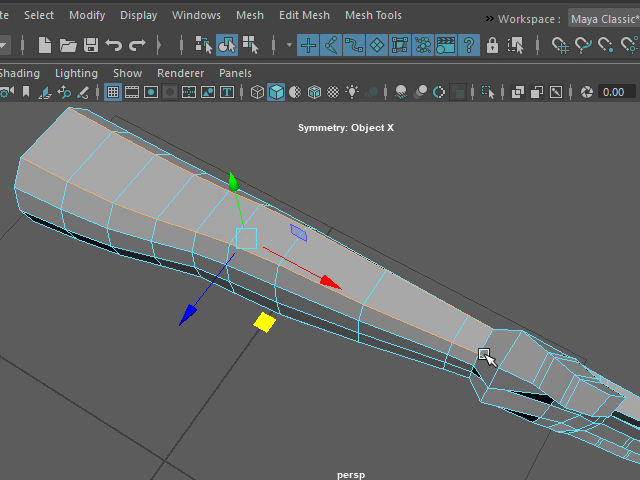
I am going to fix the edge flows on the selected edges.
セレクトされたエッジのエッジフローを修正し、均一な間隔にしてみます。
13.
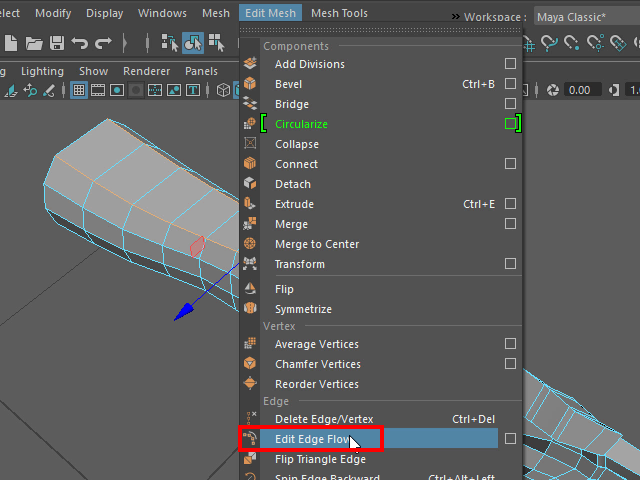
Apply Edit Edge Flow.
Edit Edge Flow を適用します。
14.
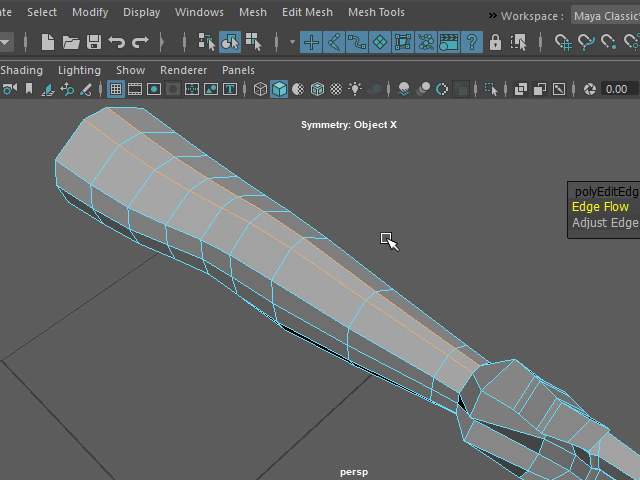
Now, two edge loops are too close.
二つのエッジループが近すぎてしまいました。
15.
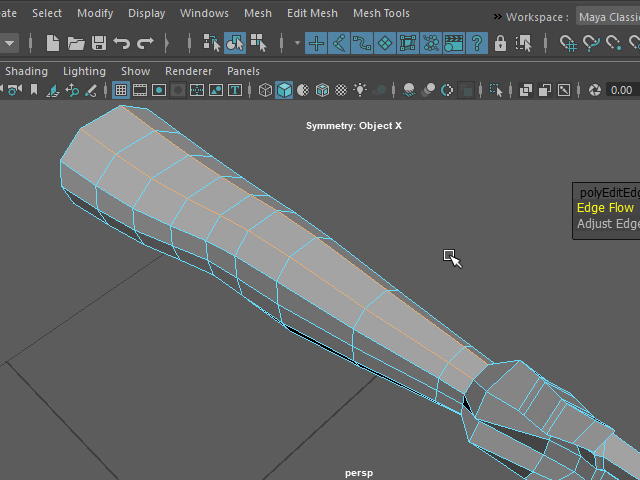
Apply Edit Edge Flow again. Now, the edges spread evenly.
もう一度 Edit Edge Flow を 適用すると、エッジが均一に広がります。
16.
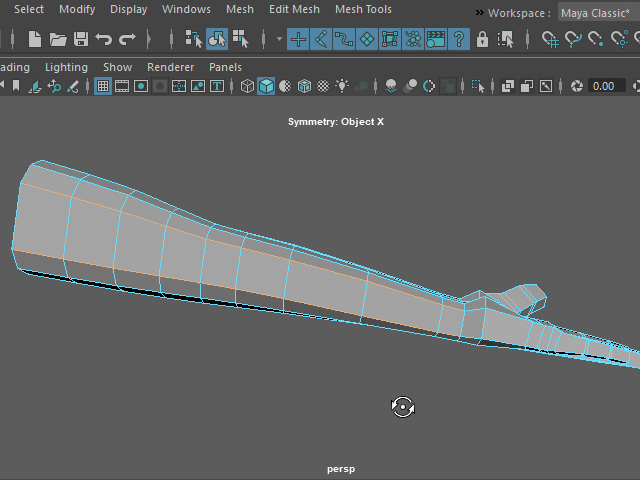
Same way, fix the edge flow on the bottom of the arm.
同様に、腕の下の部分におエッジも均一に広げます。