6. コンポーネント (Componet )
動画を見る

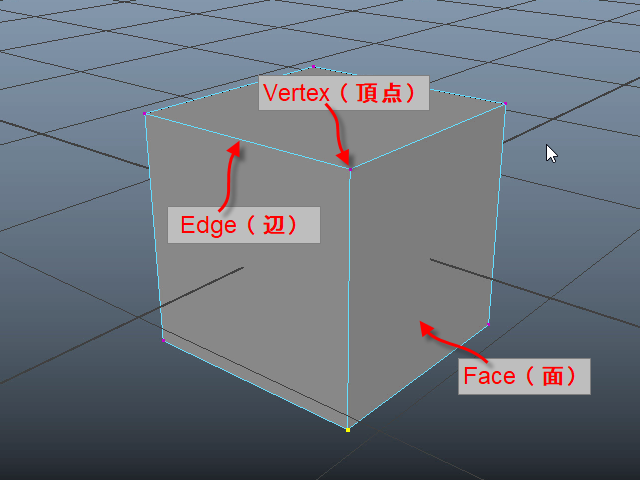
ここで使用している3D のデータはポリゴン (polygon) と呼ばれるデーターです。
ポリゴンは 頂点 (vertex), 辺(edge), 面(face) で構成されています。
頂点、エッジ、フェース をコンポーネント (componet ) といいます。
ポリゴン以外にもナーブス (nurbs) というデータもありますが、CG映像やゲームの制作ではポ リゴンが主流です。
The 3D data used here is called a polygon.
A polygon is made up of vertices, edges, and faces.
Vertices, edges, and faces are referred to as components.
Besides polygons, there is also a type of data called NURBS, but in CG animation and game production, polygons are the standard.
1.
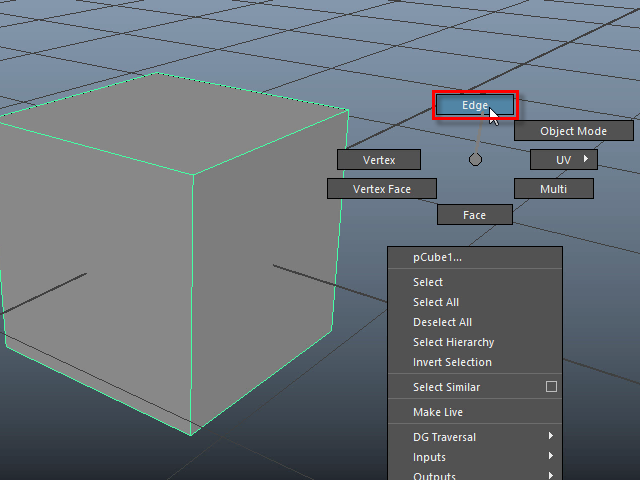
オブジェクトをセレクトし、マウス右ボタンを押すと、このようなメニューがポップアップします。
Edge をセレクトします。
When you select an object and right-click with the mouse, a menu like this will pop up.
Select Edge.
2.
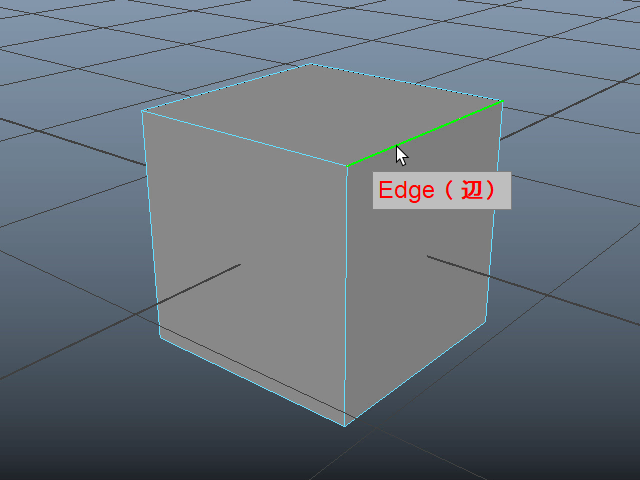
オブジェクトがエッジモードになります。
エッジをクリックしてセレクトします。
The object will switch to Edge Mode.
Click on an edge to select it.
3.
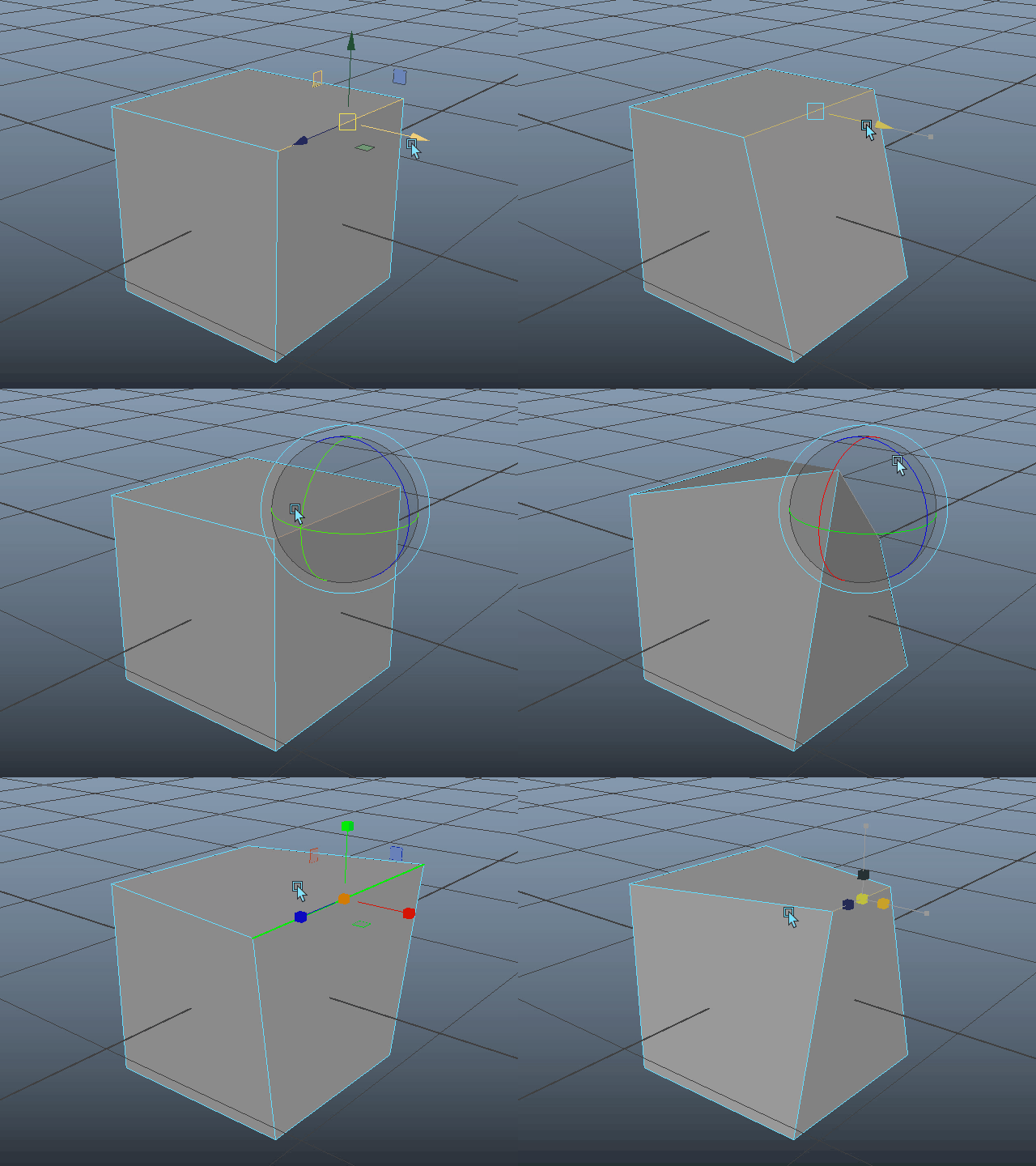
このように自由に形を変えることができます。
This way, you can freely modify the shape.
4.
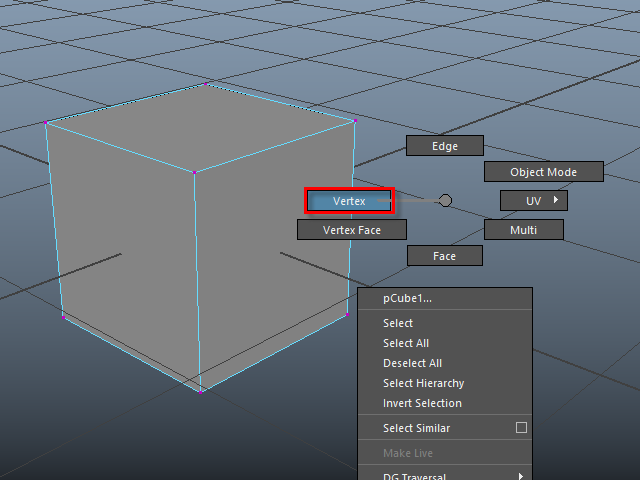
次にマウス右ボタンで Vertex をセレクトします。
Next, right-click and select Vertex.
5.
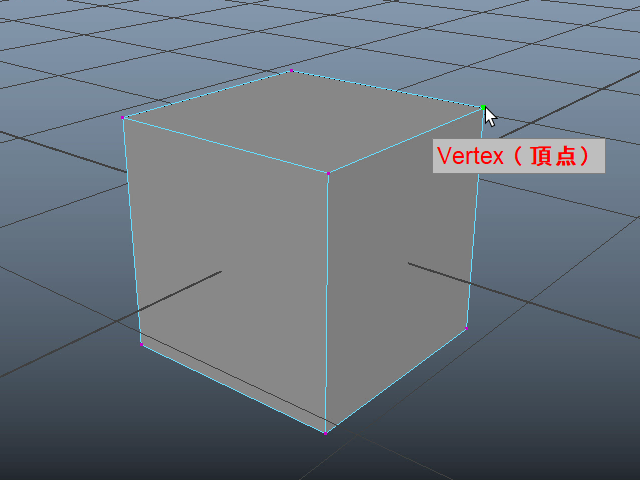
Vertex がセレクトされます。
The vertices will be selected.
6.
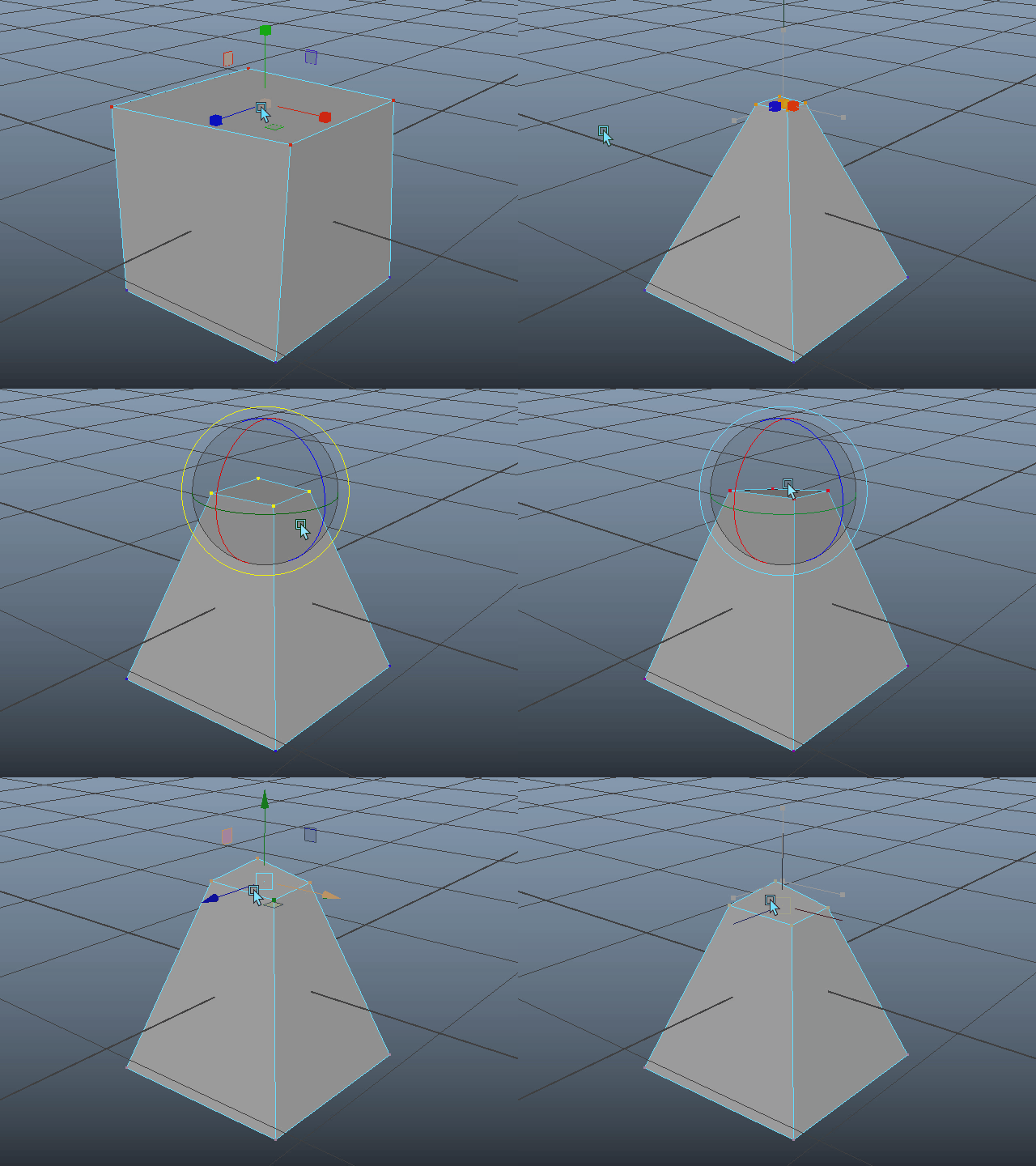
このように自由に形を変えることができます。
This way, you can freely modify the shape.
7.
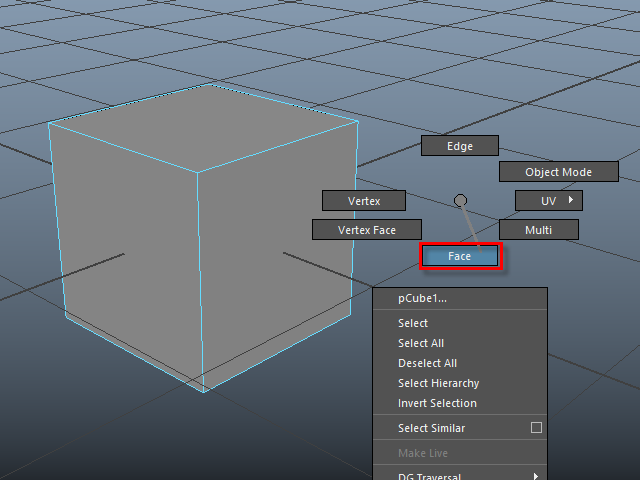
次にマウス右ボタンで Face をセレクトします。
Next, right-click and select Face.
8.
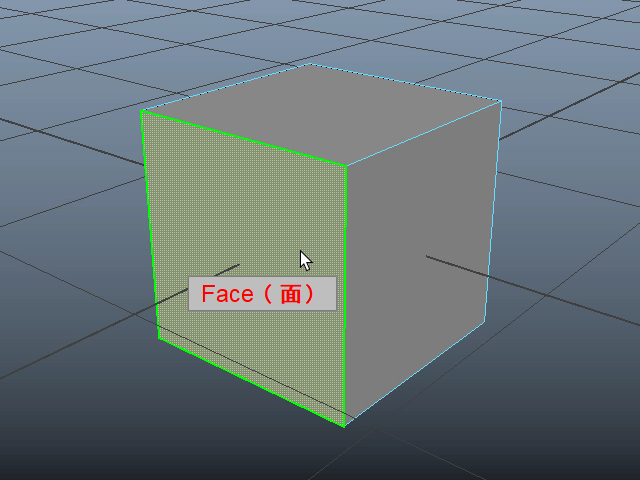
Face をセレクトします。
Select a Face.
9.
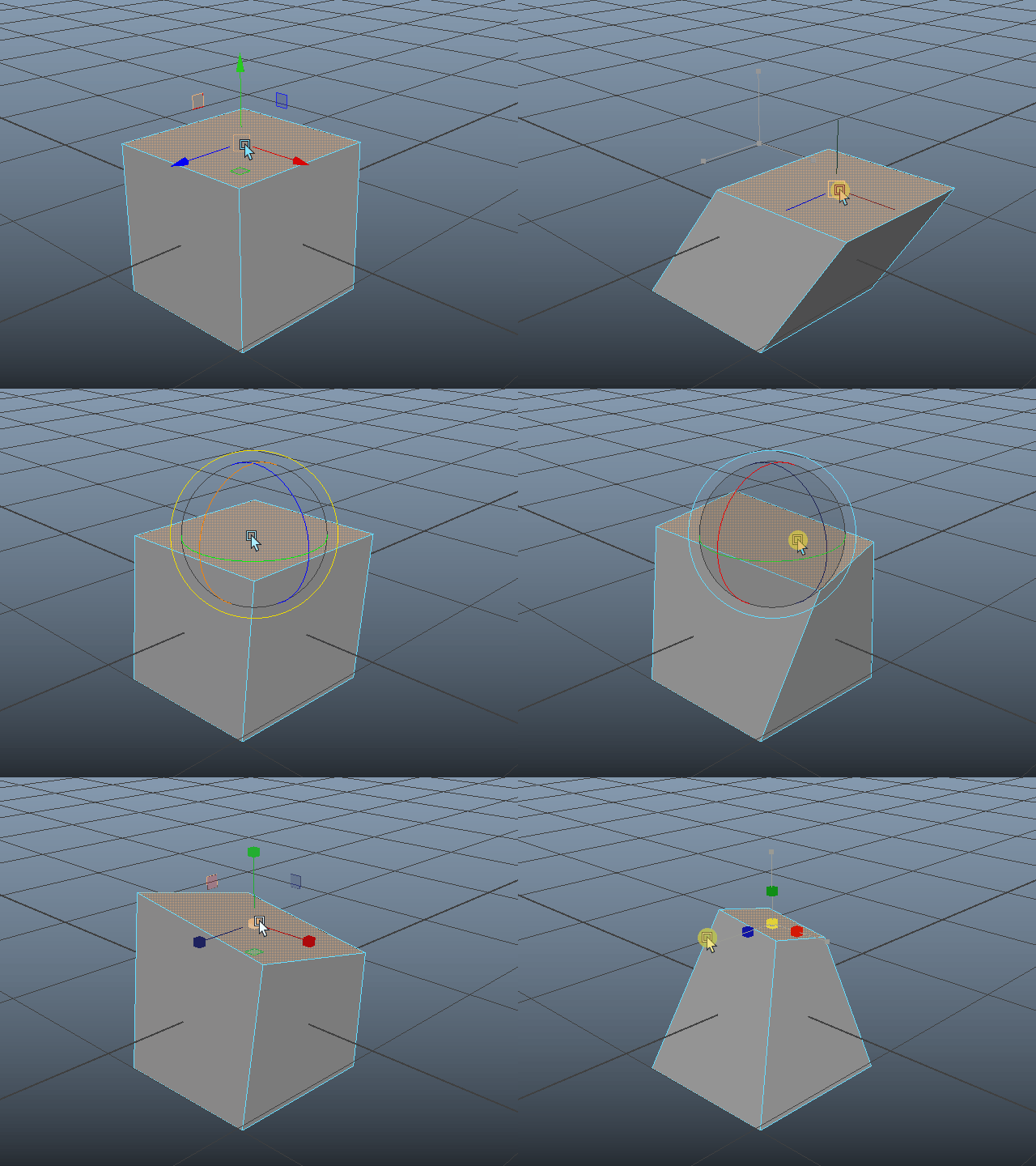
このように自由に形を変えることができます。
As with the others, you can freely modify the shape.
10.
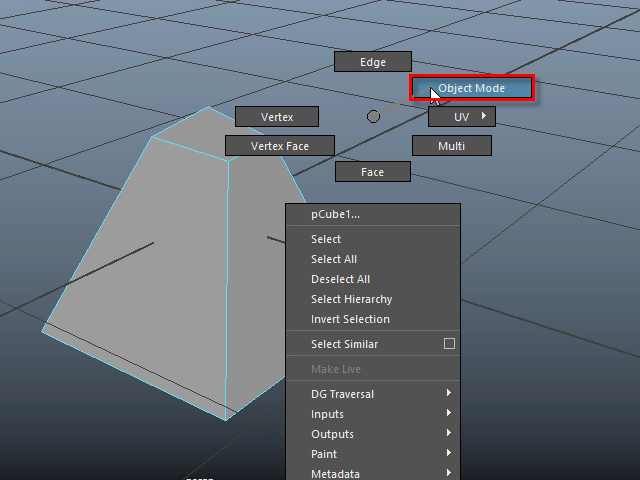
作業が終わったら Object モードに戻ります。
When you're done, switch back to Object Mode.
11.
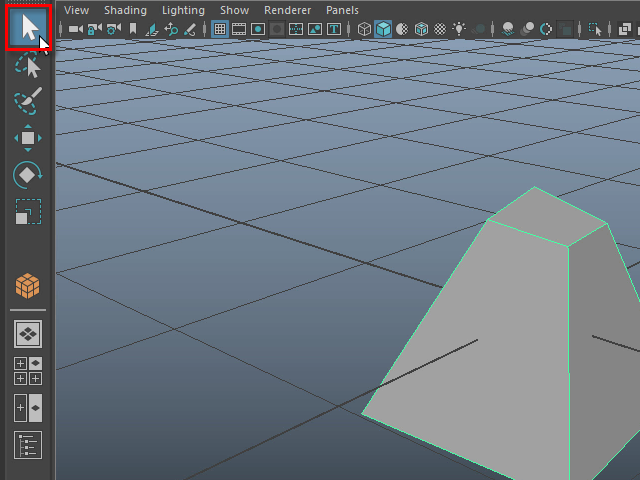
最後に左上の矢印のアイコン( ショートカットは Q )で終了します。
次に、オブジェクトの外をクリックし、セレクトを解除します。
Finally, click the arrow icon at the top left (shortcut key: Q) to exit.
Then, click outside the object to deselect it.
-6-