7. Maya を終了する (Exiting Maya)
動画を見る

1.
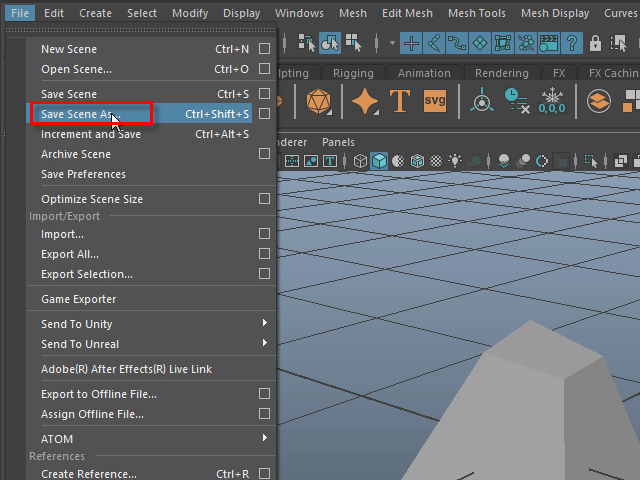
作品を保存する場合は、Save Scene As で保存します。
If you want to save your work, use Save Scene As.
2.
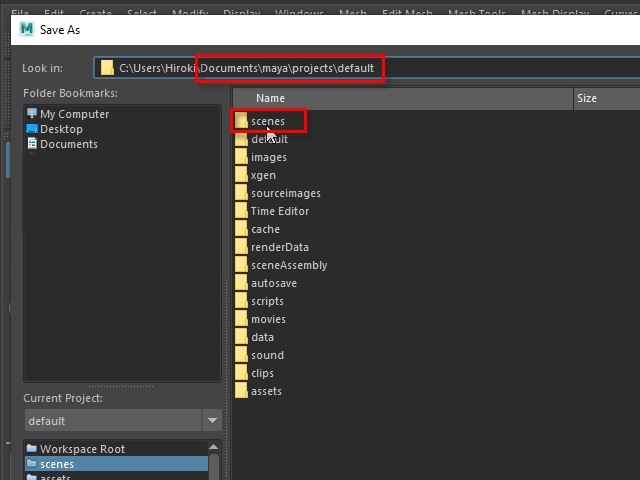
特にフォルダーを指定してない場合は、default のフォルダーに保存されます。
default の下にある scenes フォルダーに保存します。
基本的に、どの場所にも問題なく保存できますが、このように整理することをお勧めします。
If you haven't specified a folder, the file will be saved in the default folder.
Specifically, it will be saved in the scenes folder inside the default folder.
While you can save your file in any location without issues, it’s recommended to keep things organized like this.
3.
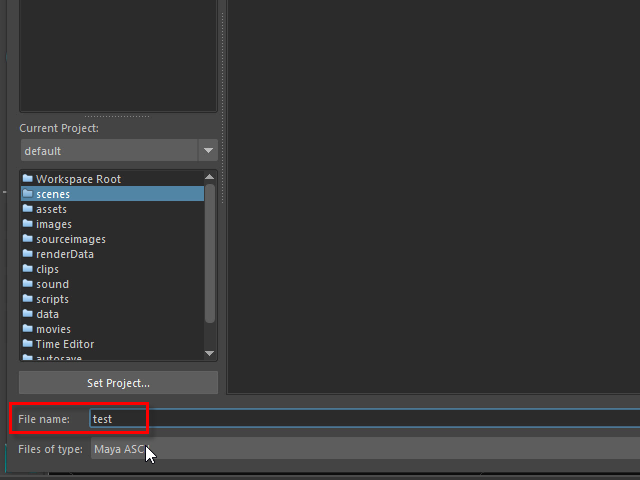
File name で名前を付けます。
Enter a name in File name.
4.
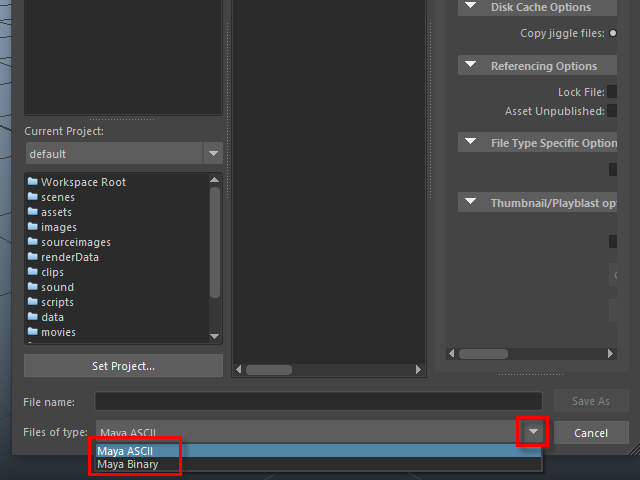
ファイルのタイプは、ASCII (アスキー)とBinary (バイナリー)の二種類がありますが、
どちらでも構いません。
There are two file types: ASCII and Binary.
Either format is fine.
5.
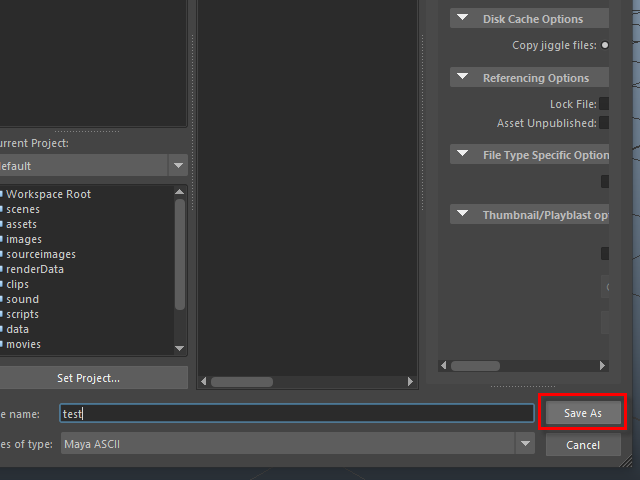
保存します。
Click Save As to save your work.
6.
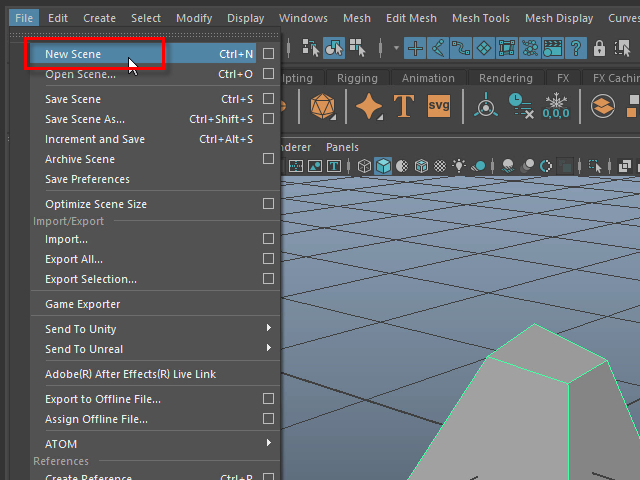
画面をクリアにして、新規で制作したい場合は、New Scene をクリックします。
画面上のオブジェクトがすべて削除されますので、まず作品を保存することをお忘れなく。
If you want to clear the screen and start a new project, click New Scene.
All objects in the scene will be deleted, so be sure to save your work first.
7.
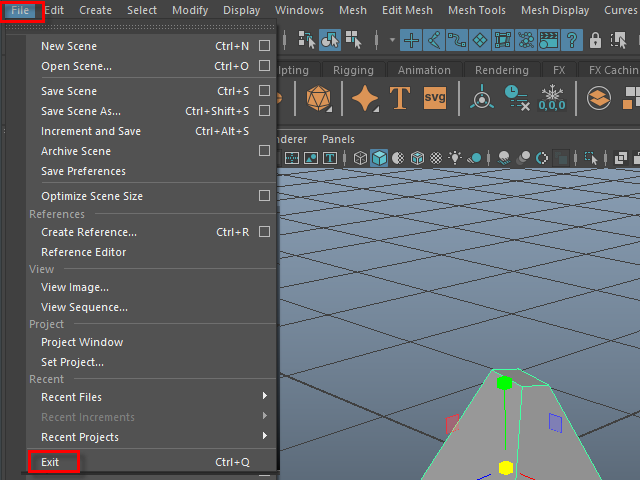
Maya を終了する場合は、Exit をクリックします。
To exit Maya, click Exit.
8.
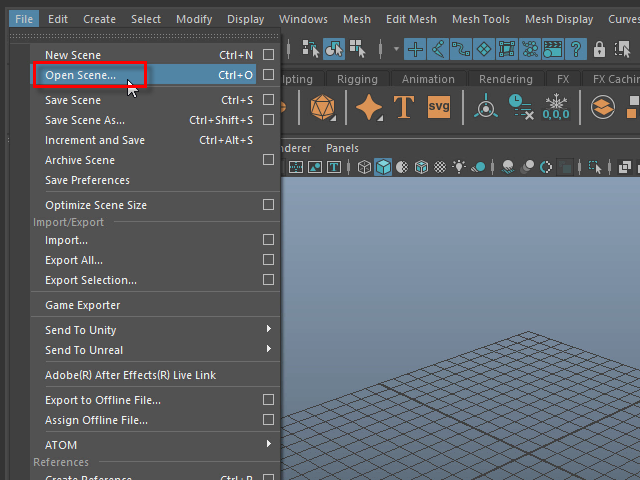
保存した作品をオープンする場合は、Open Scene でオープンします。
To open a saved project, use Open Scene.
-7-