
Instead of painting weight, you can change weight numbers on Componet Editor
1.
I am going to change weight number on the head.
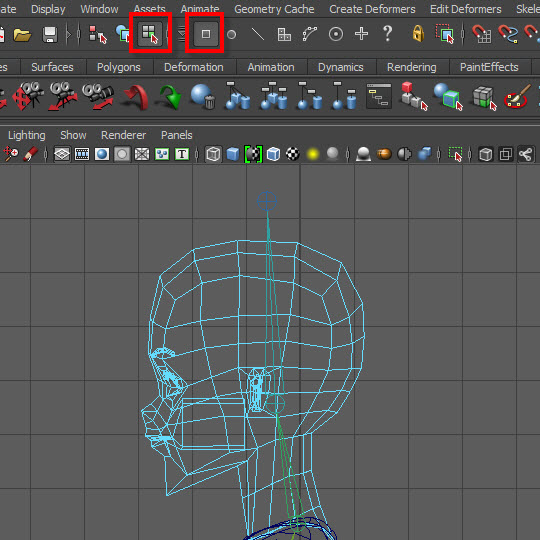
First, select all vertices on the neck except the lower neck vertices.
You can not select vertice using the right mouse button because of the joints.
Use the componet mode icon on the top menu.
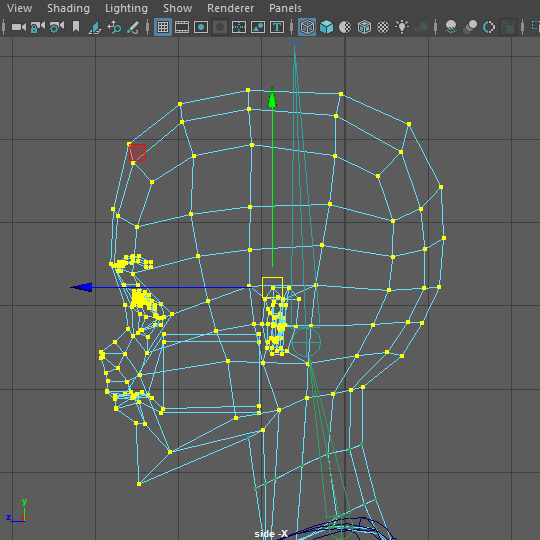
2.
Select all vertices on the neck except the lower neck vertices.
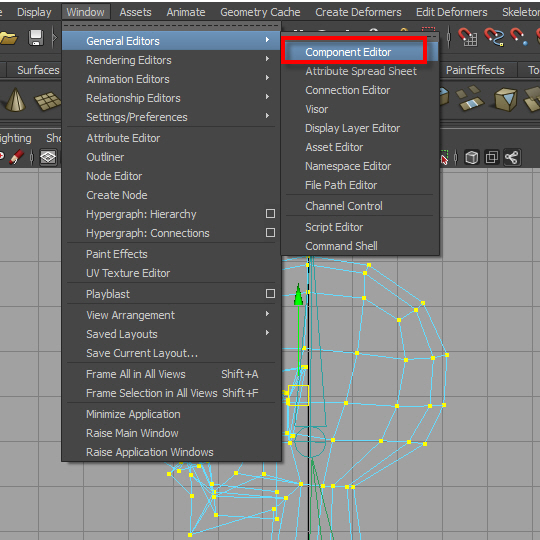
3.
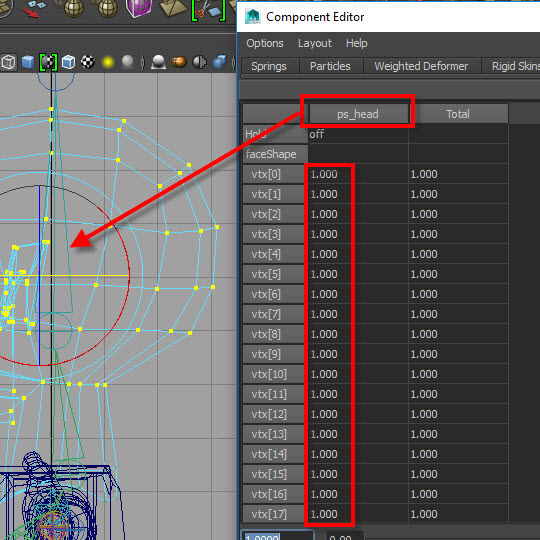
Go to Component Editor.
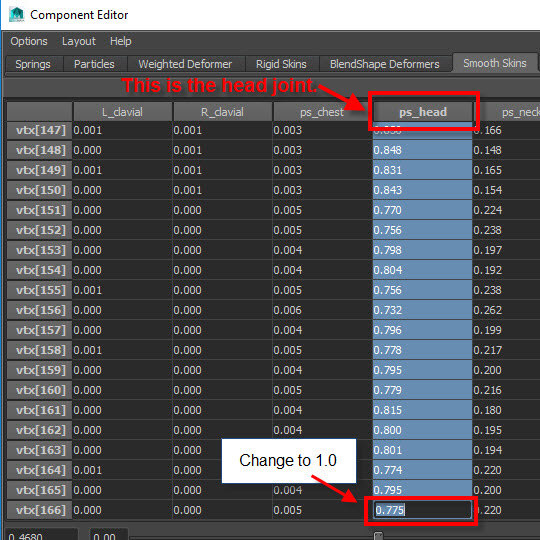
4.
Select all the numbers from the ps-head column.
Then chage to 1.0 on the last box.
5.
Now all selected vertices weight goes to ps_head