2021 Spring


ART 365.   ZBrush    
Instructor:  Hiroki  Itokazu      hiroki.itokazu@csun.edu
                                                                           hiroki@cgonline.org


ZOOM ID
926 764 9754


Week1  1/29


1_Open_ZBrush
2_Camera
3_Sculpting
4_Move Brush
5_Clay Brushe
6_Dividing Polygon
7_Dam Standard Brush
8 Masking
9 Subtool

10_Save/Open_Flie


● ZBrush Tutorial from Official Site


_____________________________________________________
Creature Reserach

The first assignment will be creature.
We will spend 5 weeks for this project.
Search "creature" on google.
Design your own creature.


_____________________________________________________
●Anatomy Research

Reserch keyword example "horse"
1. "horse"・・・・・ You wil find pictures of horses.
2. "horse anatomy"・・・・・You will find bones and musscles.
3. "horse anatomy drawing"・・・・Drawings show details well.
4. "horse anatomy sculpture"・・・・・Sculptures show musscles well.
5. "human animal anatomy"・・・・・Comparison between human and animal skeletons. (Important!)


Maria Panfilova's Anatomy References.

Lion Anatomy Reference 1
Lion Anatomy Reference 2

How to draw animal legs by Jazza


Jun's Anatomy
https://www.junsanatomy.com/


______________________________________________________
●Sketch Technique Research

Search videos on YouTube.
Key word is
"
creature design tutorial"
" creature drawing tutorial"

Recommended Link
Drawing Demo by Robert Marzullo 1
Drawing Demo by Robert Marzullo 2
Drawing Demo by Robert Marzullo 3

Drawing Demo by Amziss

Drawing Demo by FZDSCHOOL

Drawing Demo by Jazza


Class Recordings 1/29
Video.1
Video.2
Video.3


Week2  Sculpting Creature
2/5


Class Recordings 2/5
Video.1
Video.2
Video.3

Video.4

●Categorize and Reserch
(Use pinterest.com)
Example of Categorization
Fish Creature
Virus Creature
Insectoid
Reptile Creature
Aquatic Creature
Alien Grey
Demon
Dragon
Beast
Ogre & Orc
Goblin
Troll
Elf
Xenomorph
Zombie


_____________________________

Making Rough Shape
_____________________________


ZSphere

 1. ZSphere
   (Four leg)
 2. ZShere          (Two Leg)


●Sulptris

Sculpris


● How to Make Eye Balls


1. Append   Making a new geomery
2. Move, Scale, Rotate  
3. Mirror the Eyeball   


_____________________________

Image Plane
_____________________________


1. Image Plane


Week3   Sculpting Creature 
2/12


Serch videos on YouTube.
Key word is "
zbrush creature design tutorial"


YouTube Demo by The CGBros

1. Making Eye Ball using Append
2. Move, Scale
3. Mirror the eye ball
4. Polygroups
5. Alpha Brush


Class Recordings 2/12
Video.1
Video.2
Video.3

Video.4


Week4    Sculpting Creature
2/19


●DynaMesh
1.Fix the Streched Polygon *If you use Sculptris, you don't need dynamesh. See week2.
2. Fill Hole
3. Merge objects


_____________________________

●Subtool
_____________________________


●Subtool
1. Split to Parts
2. Marge Down
3. Group Split  
4. Split to Similar Parts
5. Split Masked Point 
6.
 Split Hidden 


_____________________________

●Mirror
_____________________________


1. Zplugin > SubTool Masster>Mirror ( Duplicate and mirror )


2. Deformation > Mirror (Switch right and left)


3. Geometry > ModifyTopology > Mirror and weld
   (Symmetrizing tool
. Mirror left to right)


4.  Deformation > Smart Resym
   
(Partially symmetrizing with mask)


_____________________________

Masking
_____________________________

Basic
1. Making                             
2. Reverse, Clear                  
3. Select with Lasso              
4. Blur Mask                        
5. Bending and Stretching      

Advanced
6. Mask by Polygroup            
7. Mask by Gizmo               
8. Making on upper lip                  
9. Backface Masking                        
10. Mask by Cavity               
11. Using Different Stroke


_____________________________

How to make a wing
_____________________________


1. Making a ZSphere                         
2. Making bones with ZSphere         
3. Making a Plane                              
4. Thickness with Extract               
5. Adaptive Skin                               
6. MergeDown and Dynamesh        
7. Bending withTranspose               
8. Brush size with Dynamic option   
9. MergeDown                                   


Class Recordings 2/19
Video.1
Video.2
Video.3

Video.4


Week5   
2/26


_______________________________________

How to make a claw / sharp tooth
_______________________________________


Part1.
 ●Trim Curve
 ●Dymamesh


Part2.

 1. SnakHook
 2. InsertMesh
 3. Alpha


_______________________________________

How to make fur with FiberMesh
_______________________________________


1. Preview

2. Groom
3. Color


Class Recordings 2/26
Video.1
Video.2
Video.3

Video.4


Week6   
3/5


_____________________________

How to make hair
_____________________________

Part 1.

Tube Hair


Part 2.

How to make hair by Danny Mac 3D


_______________________________

●Separating Jaw and Open
_______________________________


  1. Separate Subtool with Mask
  2. How Move and Reset Axis
  3. Fill hole with Dynamesh
  4. Weld the Head and the Jaw with Dynamesh


Class Recordings 3/5
Video.1
Video.2
Video.3

Video.4

Mid Term Due Date will be March 21st. (Sunday)


Week7    Material and Paint
3/12


_____________________________

●Alpha Skin Texture
_____________________________


●How to apply alpha skin textures


1. Alpha30
2. Other Alpha

3. Download alpha textures (pixologic.com)
4. Brush Stroke
5. Chisel Creature
6. LazyStep
7. Skin Texture

8. Noise


●Reputile Alpha Texture download
https://www.artstation.com/artwork/VV215

_______________________________

●Mix Textures with Layers
_______________________________


●Mix Textures with Layers
Making skin, wrinkles and scales on different layers.


________________________________

●How to Paint (Poly Paint)
________________________________

1. Assigning Material
2. Standard Brush
3. Rgb Intensity
4. Color Spray
5. Reptile  Color
6. Applying Eyeball texture
7. Mask by Cavity


YouTube Video
Polypaint Demo by 3dmotive    (start from 9:12)
Creature Painting using polypaint with Josh Robinson


Mid Term Due Date will be March 21st. (Sunday)


Upload in your Box.
Make a new folder for the mid term.
Upload the following items.

1. Screen capture images. Front, 3quarter, close up view and so on. (1920X1080) 
●How to get screen shot

2. Turn table movie file. (Optional) (1280x720)   
●Turntables in ZBrush

3. ZBrush file (.ztl or .zpr)


Class Recordings 3/12
Video.1
Video.2
Video.3

Video.4
Video.5


__________________________________
Week8
   
3/26


_______________________________________

●Making Pose with ZSpehere Rig
_______________________________________


● How to make pose using Zsphere  by Danny Mac 3D


_______________________________________

Lighting
_______________________________________

●ZBrush Lighting (Lightcap)


_______________________________________

Exporting to Maya
_______________________________________


1. Making low res model with ZRemasher
2. Extracting details with Project
3. Making UV Map in ZBrush
4. Generating Color Map
5. Generating Normal Map
6. Save as obj file
7. Exporting the  model and applying testures in Maya


Youtube Video
1.ZRemesher 
2.ZRemesher and Projection
3. Crateing UV map with UV Master


Class Recordings 3/26
Video.1
Video.2
Video.3

Video.4 Hard Sruface Using Standard Brush


__________________________________

////////////////////////////////////////////////////////////////////////////
Hard Sruface Project
///////////////////////////////////////////////////////////////////////////

Week9

4/2


Class Recordings 4/2
Video.1
Video.2
Video.3

Video.4


Part 1. Making Rough Shapes


________________________________


Clay brush and hPolish

 ● Youtube Demo by Arrimus 3D


____________________________________________

Week10
4/9


Divide surface with Polygroup


 ●SliceCurve
         1.SliceCurve


 ●Convert mask to Polygroup  
      1. Group Masked  →  Polish By Groups
      2. Auto Groups 
      3. Del Hidden


____________________________________


How to make a flat surface


         ●Brushes make surface flat 


_________________________________


Closing holes

 Close Holes


_________________________________


Carving out


Making dents with Clip brush 

 Carving out with Trim Brush 

 Making holes with Live Boolian 


_________________________________


Thickness

   ●Extract

 ●Delete Inside (Flip Display Properties to see inside )


_________________________________


Extracting shapes from masking
 

   Masking > Extract


_________________________________

Moving in/out surface (Part1 Masking)


 ●Masking > Inflate


_________________________________


Moving in/out surface (Part2 Polygroups)


  Rasing a polygroup with Panel Loops 
   1.Making grooves with Panel Loops  

   2.Making same polygroups with Group Visible 
   3.Masking on Polygroup and raise


 ●
GroupLoops でエッジに Polygroup を追加し、盛り上げる


 ● マスクをかけずに、セレクトしたポリグループだけを移動する
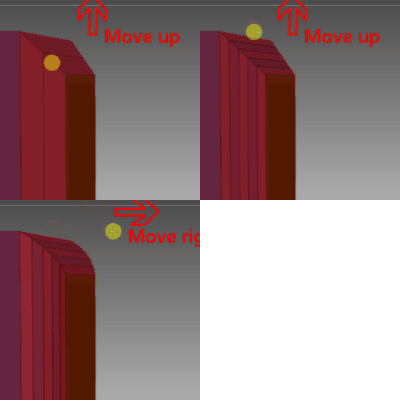
    Mask By Polygroups 100


Part 2. Making Details

________________________________

Insert Edge Loops

   1. Insert edge loops with ZModeler 


_________________________________


Making Grooves


 ●Drawing grooves using mask
        1. Applying LazyMouth on masking brush
        2. Making dents with Inflate 

 ●Drawing grooves using Standard Brush  
        1. Drawing with Standard Brush 
        2. Making layers with Morph Target 

 ●Drawing grooves using Chisel Brush 
        1. Chisel Brush

   ●Making grooves Panel Loop
      1. Panel Loops

_________________________________


Making Bump/Dent


   Standard Brush 
          1. Making shapes with Standard Brush

  Layer Brush 
         1. Making flat bump/dent with Layer Brush 


  Mask and move 
         1. Inflate with Standard Brush
 
       2.  Inflate with Deformation > Inflate   


  Clay Brush > Polish > Dam Standard

 
_________________________________


Modeling Details


 Alpha Brush  


 Greeble Texture  


    IMM Brush  


 ●Live Boolian 
        
1. Introduction 
        2. Advanced1 
        3. Advanced2 


  Radical Symmetry


ClipCircle brush 


___________________________________________


Modeling with ZModeler


  ZModeler introduction  


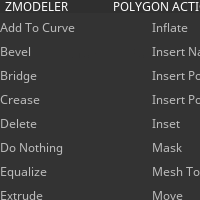
    ● ZModeler Menu


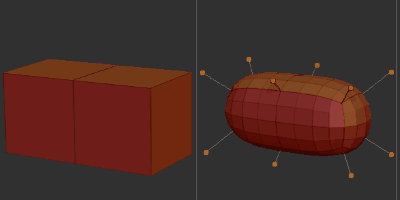
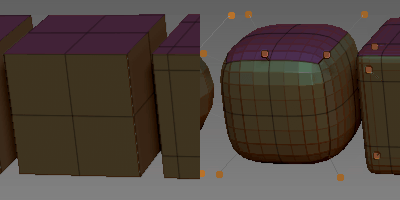
    ● Dynamic Subdiv 


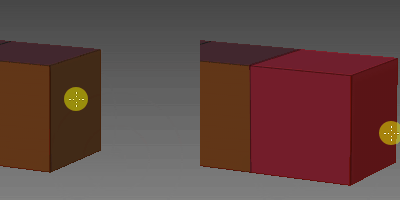
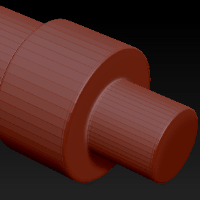
    ● Making a cube 


    ● Making a cylinder 


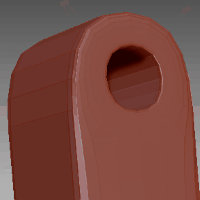
    ● Making a hole 


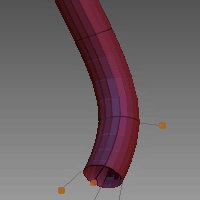
    ● Making a tube 


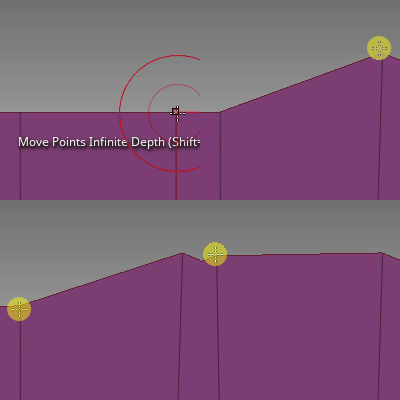
    ● How to move vertices  


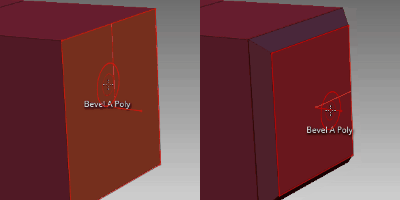
     Bevel       


     Round corner     


     Bridge faces   


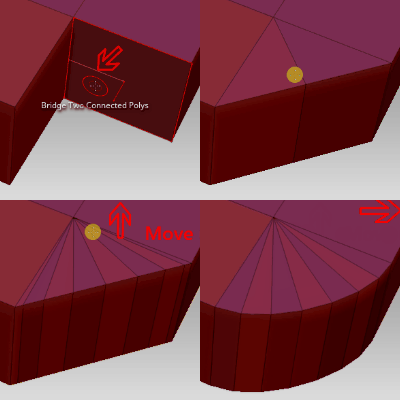
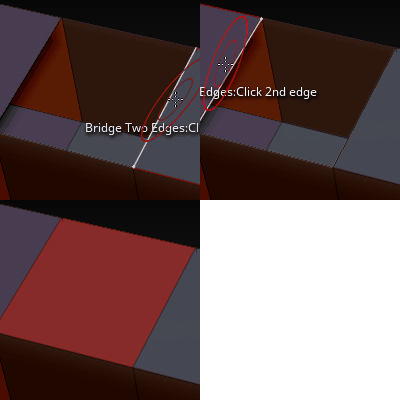
     Bridge edges  


_________________________________

  Hose 


  CurveMultiTube  


  IMM hose  


    ● Making a tube with ZModeler 


  ________________________________


Making Rough shapes
1. Cutting Surface with SliceCurve
2. Flattening surface with TrimDynamic,  hPolish and Pinch


Class Recordings 4/9
Video.1
Video.2
Video.3

Video.4


_______________________
Week11
4/16

Hard Surface Modeling

Class Recordings 4/16
Video.1
Video.2
Video.3

Video.4


_______________________
Week12
4/23

Hard Surface Modeling

Class Recordings 4/23
Video.1
Video.2
Video.3

Video.4


Week13
4/30

Hard Surface Modeling  

   How to Clean Up Surface by Armored Colony

Class Recordings 4/30
Video.1
Video.2
Video.3


Week14
5/7


 ZRemesher and exporting maps

Converting to Clean Mesh
1.ZRemesher 

Projection, Creating UV Map, Texture Map and Normal Map

1.ZRemesher and Projection
2. Crateing UV map with UV Master
3. Creating texture map from polypaint
4_Creating normal_map 
5_Applying_normal map in Maya  


 Class Recordings 5/7
Video.1
Video.2
Video.3


Week15
5/14


Substance Painter


Youtube Tutorial


https://www.youtube.com/watch?v=s2MOx1Iteik&list=PLXcn-oaYDVeBitV9sZjkgrwuljaCfzKIj&index=7&t=0s

https://www.youtube.com/watch?v=IGGQl9kVB1M&list=PLB0wXHrWAmCwnqWfKdGEmbtSKN2EzvLrY


●Turntables in ZBrush
How to generate 360 degree turntable.


Transparency Render

 
 Class Recordings 5/14
Video.1
Video.2
Video.3

Video.4


Presentaion 5/21 (Fri)
From 10:15 am to 12:15


Class Recordings 5/21
Video.1


Final Submission Date 5/24(Mon) 9:00AM

Make a folder called "Final"


●Hard surface project
1.Turn table (1280X720) and/or snapshot some images (1920x1080)
2.ZBrush file

●How to get screen shot

●Turntables in ZBrush


●Creature project (Optional)  Put in the Final folder.
If you updated the creature, submit again for better grade.
1.Turn table (1280X720) and/or snapshot some images(1920x1080)
2.ZBrush file


//////////////////////////////////////////////////////////////////////////////////////////////////////////////////////////////////////
/////////////////////////////////////////////////////////////////////////////////////////////////////////////////////////////////////
Realstic Human Project

●Download Maya Model

●Download ZBrush Alpha


●Download Free Head and Textures and Models

https://www.3dscanstore.com/blog/Free-3D-Head-Model


///////////////////////////////////////////////////////////////////////////////////////////////////////////////////////////////////
//////////////////////////////////////////////////////////////////////////////////////////////////////////////////////////////////


Realistic Human Head UV Texture Creating in Maya

Download Maya, ZBrush data and textures

Creating UV map in Maya
1_UVmap
2_applying_texture part1
3_applying_texture part2


Applying UV map
in ZBrush
1_export_obj           
2_applying_textures      
3_applying_materials     
4_sculpting            


Creating Normal Map in ZBrush Applying in Maya
5_normal_map         
6_displacement_map     
7_export_obj           
8_applying_normal map


week1  weebly.com
week2  Bio
week3 1_sketch,   Three_types_character
week4  Nagoya_2_Disney_2017
week5  Nagoya_3_pipeline_2017
week6  2_Attractive_Character_v2
week7  3_facial_expressions


hiroki1.weebly1.com
Nagoya_1_bio_2017
Nagoya_2_Disney_2017
Nagoya_3_pipeline_2017
1_sketch
2_Attractive_Character_v2
3_facial_expressions
4_Reserch
5_人体アナトミーリサーチポイント
Three_types_characters